Windows XP Windows 7 Windows 2003 Windows Vista Windows 綜合教學 Linux 系統教學
Windows 10 Windows 8 Windows 2008 Windows NT Windows Server 電腦軟體教學
您现在的位置: Windows教程網 >> Windows教程 >  >> Windows 綜合教學 >> 關於 Windows

XP 系統如何自訂資料夾背景圖片?建立 desktop.ini 完整教學

編輯:關於 Windows

XP 系統可透過建立 desktop.ini 系統檔案,為任意資料夾設定自訂背景圖片。本文詳細說明從準備圖片、設定資料夾選項顯示系統檔案、撰寫 ini 內容、儲存與套用的完整流程。

操作步驟

  1. 準備一張 JPG 圖片,重新命名為 1.jpg,放置於目標資料夾根目錄(如 C:\)。
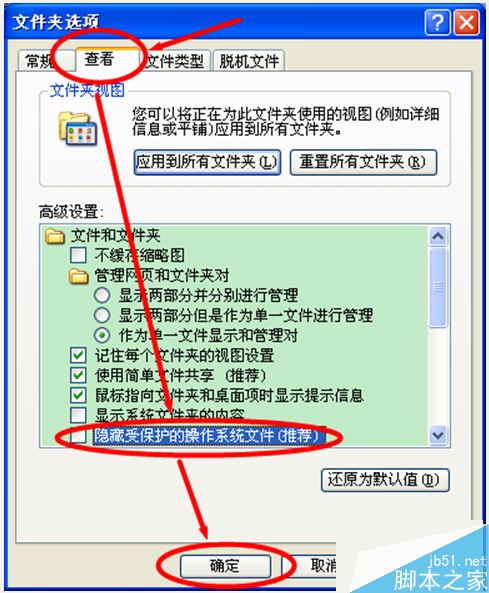
  2. 開啟「我的電腦」→「工具」→「資料夾選項」→「檢視」→ 取消勾選「隱藏受保護的作業系統檔案」→ 確定。
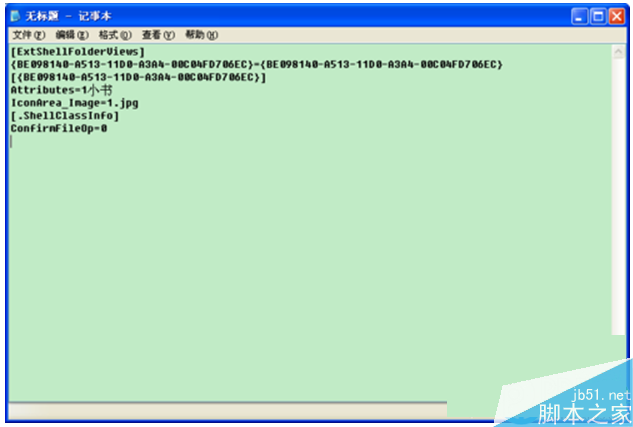
  3. 開啟記事本,貼入以下內容:
[ExtShellFolderViews]
{BE098140-A513-11D0-A3A4-00C04FD706EC}={BE098140-A513-11D0-A3A4-00C04FD706EC}
[{BE098140-A513-11D0-A3A4-00C04FD706EC}]
Attributes=1
IconArea_Image=1.jpg
[.ShellClassInfo]
ConfirmFileOp=0
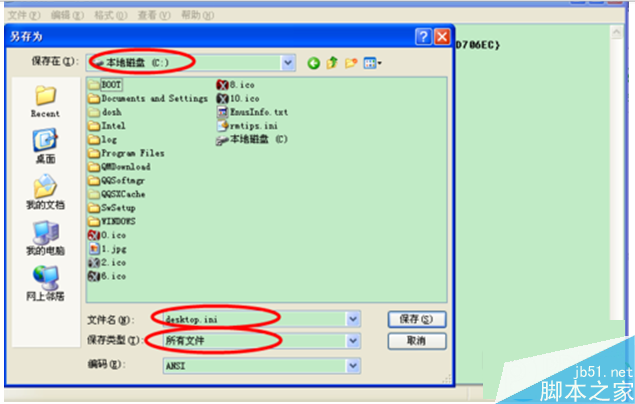
  1. 另存新檔:檔名 desktop.ini,存檔類型選「所有檔案」,儲存至目標資料夾根目錄(如 C:\)。
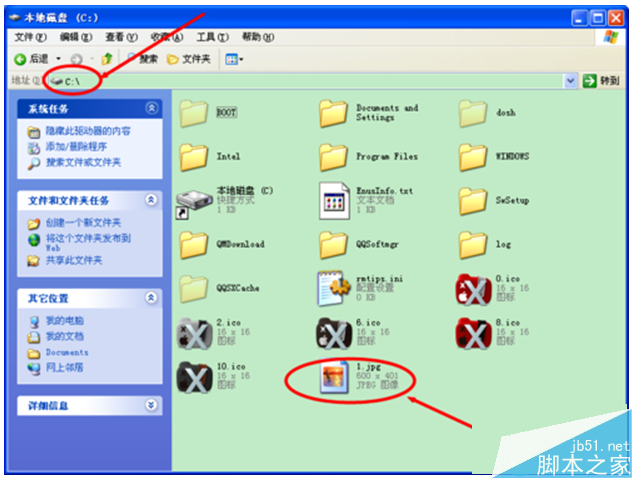
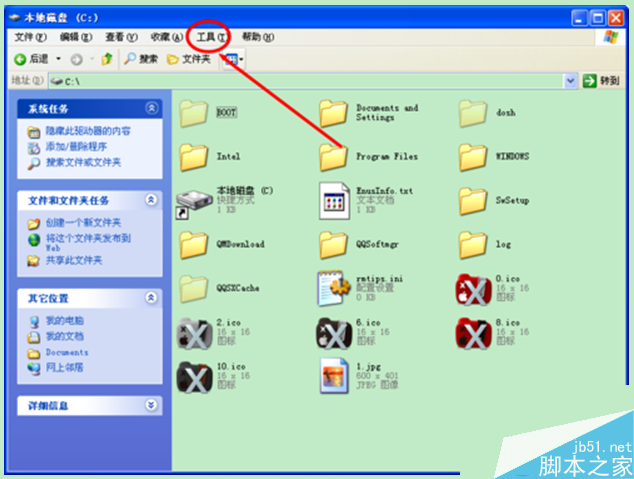
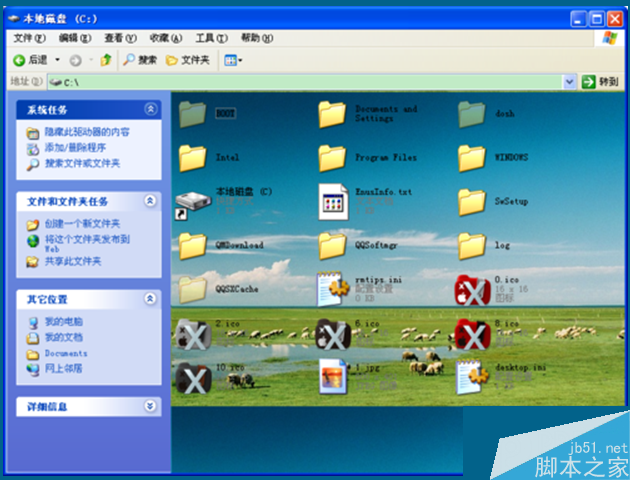
  2. 重新整理資料夾(F5),背景圖片即套用成功。

放置圖片

資料夾選項

顯示系統檔案

記事本編輯

儲存 desktop.ini

背景套用成功

後續維護

  • 更換背景:將新圖片命名為 1.jpg 覆蓋原檔即可。
  • 其他資料夾套用:重複上述步驟,將 1.jpg 與 desktop.ini 放入對應資料夾。

注意:此功能僅限 Windows XP,Vista/Win7 以上版本不支援此語法。

Copyright © Windows教程網 All Rights Reserved