Win8 虛擬記憶體可在不加實體記憶體下擴充容量。若初始設定過大或過小,可依下列步驟修改:
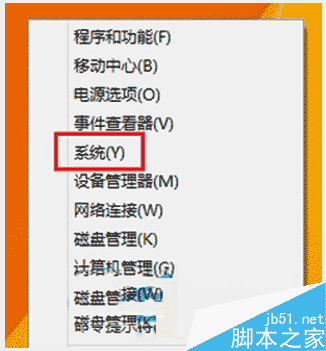
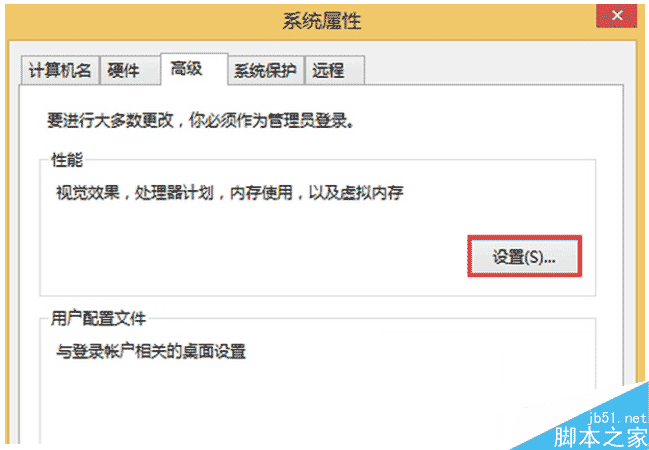
依需求調整虛擬記憶體大小,有需要的使用者可參考操作。
Windows 7 / Vista 設定 DNS 伺服器圖文教學:以 114DNS 為例
虛擬機安裝 Windows XP 後無法上網?三大網路模式設定全解析
Win10 瀏覽器輸入文字卡頓?新增美式鍵盤佈局並修改登錄替換輸入法替代碼
Win10 Redstone 14279 已知問題與解決方案:QQ 崩潰、Surface 凍結、休眠藍屏、卡巴斯基衝突
Win7 如何另存網頁並修改內容?瀏覽器儲存網頁→記事本編輯教學
Win7 玩單機遊戲提示缺少 steam_api.dll?Windows Defender 誤刪為主因,關閉即時防護並從解壓包/破解補丁補回