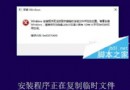
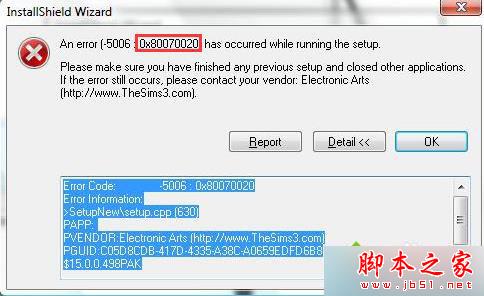
Windows 8.1 安裝更新套件時出現錯誤代碼 0x80070020 (ERROR_SHARING_VIOLATION),意指「程序無法存取檔案,因為檔案被另一程序使用」。主因為第三方防毒軟體即時掃描鎖定系統檔案。
解決方案
- 優先使用 Windows Update 線上更新:
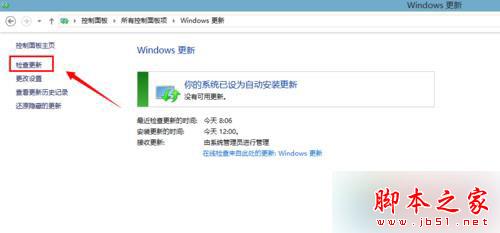
控制台 → Windows Update → 檢查更新 → 安裝 (較獨立安裝包穩定)。
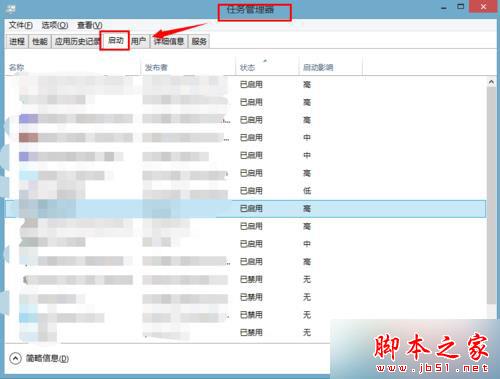
- 停用非必要啟動項並重開機:
Ctrl+Alt+Del → 工作管理員 → 「啟動」頁籤 → 停用所有非 Microsoft 發行者的啟動項 → 重開機 → 再次安裝更新。
- 暫時關閉第三方防毒軟體即時防護:
在防毒軟體介面關閉「即時掃描」/「即時防護」/「檔案監控」→ 安裝更新完成 → 重新開啟防護。
進階:手動安裝更新包
- 前往 Microsoft Update Catalog 搜尋對應 KB 編號。
- 下載
.msu 獨立安裝包 (x64/x86 對應系統版本)。
- 以管理員身分執行 CMD:
wusa.exe "C:\路徑\更新包.msu" /quiet /norestart
- 查看安裝結果:
echo %ERRORLEVEL% (0=成功, 3010=需重開機, 其他=失敗)。
注意事項
- 錯誤 0x80070020 亦可能由 Windows Modules Installer (TrustedInstaller) 服務異常引起,請確認服務狀態為「手動」且可正常啟動。
- 若系統長期未更新,建議分批安裝 (每次 5-10 個更新),避免單次佇列過大導致資源爭用。