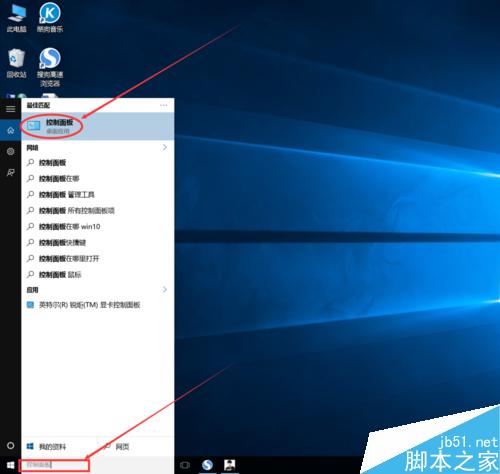
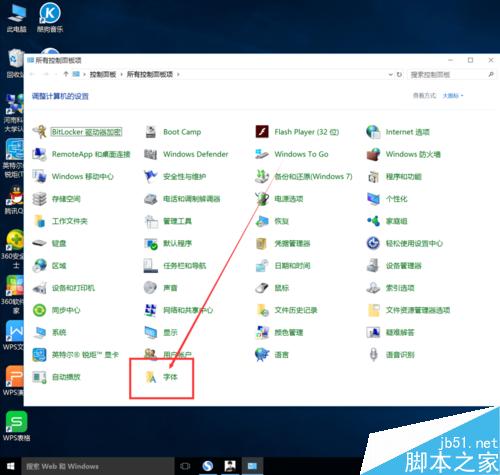
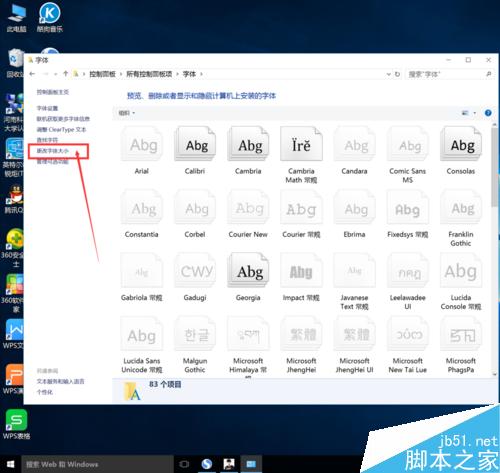
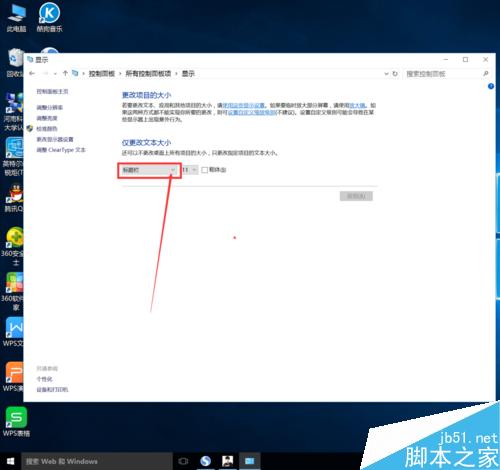
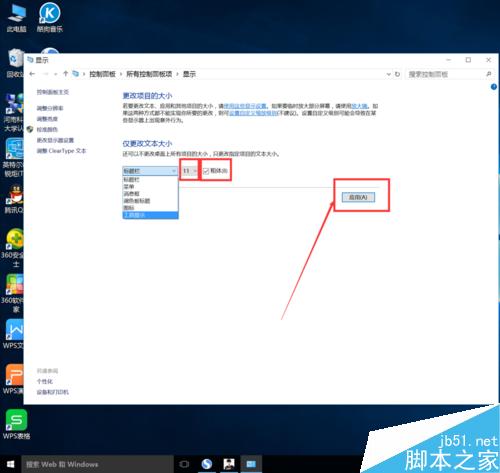
Win10 企業版等版本預設字型較小,可透過控制台調整系統字型大小:
此設定為系統層級,影響所有 Win32 應用程式介面,UWP 應用可能不受影響。
Windows 7 啟用/停用來賓帳戶教學
下載:Windows 10 Build 10122 中文 64 位 ISO(網友封裝)
Win7 無法複製貼上文字怎麼辦?重啟、關閉干擾程式、重啟 Explorer、建立 clip 資料夾四招解決
Windows 7 系統垃圾檔案與登錄清理:臨時檔案位置、建議用專業工具掃描登錄
Windows 7 更新顯示卡驅動後黑屏?安全模式卸載驅動恢復教學
Windows 滑鼠滾輪上下滾動失靈?登錄修改 WheelScrollLines=3 修復系統層面故障
Win10 定位隱私保護完整指南:圖標含義、應用權限管理與防追蹤設定
Win10 如何關閉/移除 OneDrive?四種徹底方案