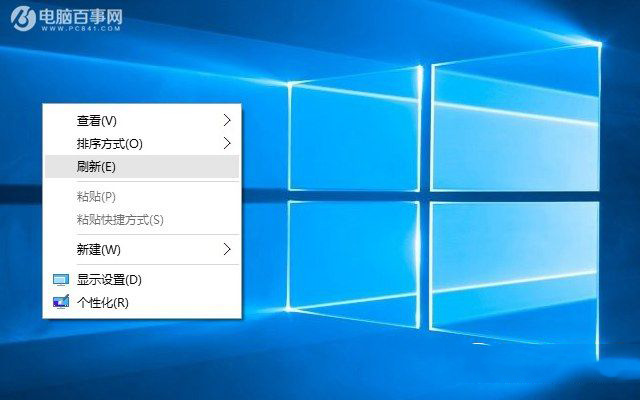
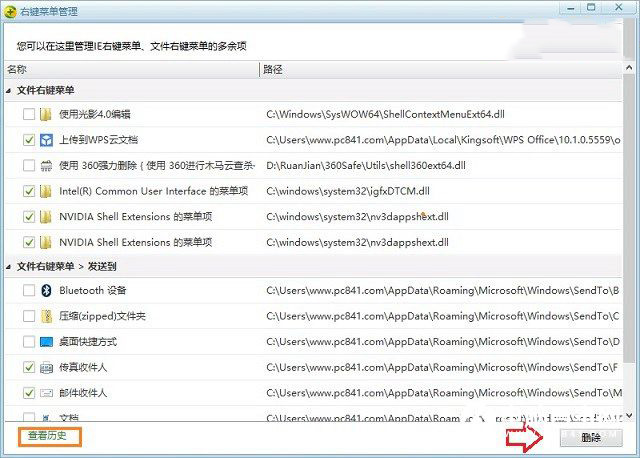
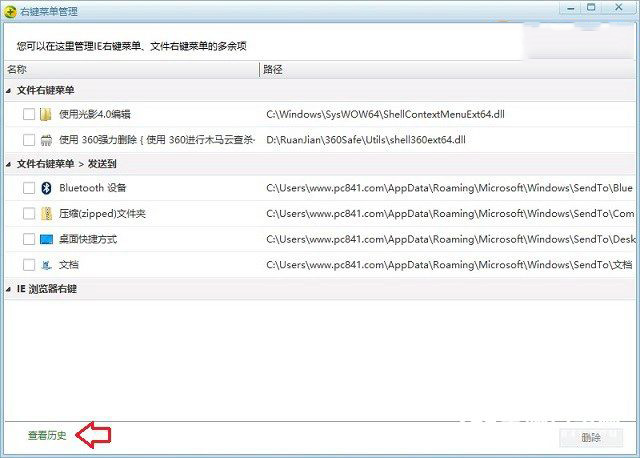
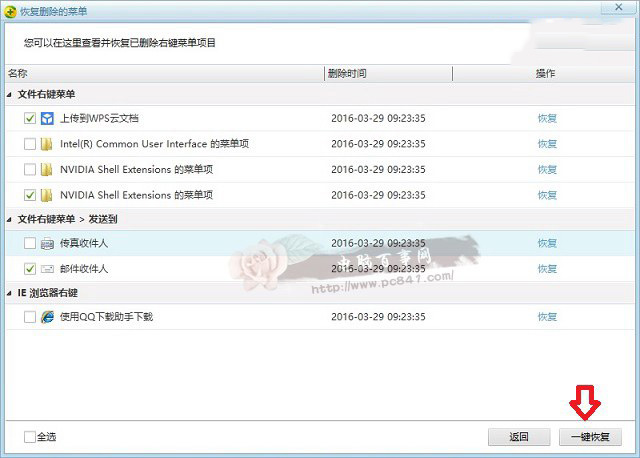
安裝多款軟體後,Windows 10 桌面與檔案右鍵選單變得冗長、影響操作流暢度。透過 360 安全衛士 (或同類工具) 內建的「右鍵管理」功能,可視覺化掃描並批次停用/刪除不常用項目,誤刪還能一鍵還原。
清理後右鍵選單清爽許多,系統回應也更順暢。進階用戶亦可透過修改登錄表 HKEY_CLASSES_ROOT\*\shell 等機碼手動精簡。
HKEY_CLASSES_ROOT\*\shell
Win10 桌面版 10586.218 累積更新 KB3147458:安全性修復與穩定性優化,無新功能
Win10 如何關閉應用商店自動更新?三步驟關閉背景下載
Windows 7 任務列顯示多時區時鐘:附加時鐘功能完整設定
Win10 取消開機密碼兩種方法完整教學
Win10 Build 10576 更新內容完整彙總:Edge 串流投射、PDF 小娜、Xbox Beta 三大新功能
Win10 企業版 LTSB 分支不內建 Edge 瀏覽器,僅保留 IE11 追求極致穩定
Win7 設定防火牆開機自動啟動:電腦管理→服務→Windows Firewall→啟動類型改為「自動」
開發者必升 Win10 Build 10061:修復 Hyper-V、VS 崩潰、Spartan 瀏覽器問題