Win10 任務列預設固定檔案總管,若誤取消固定可快速找回:
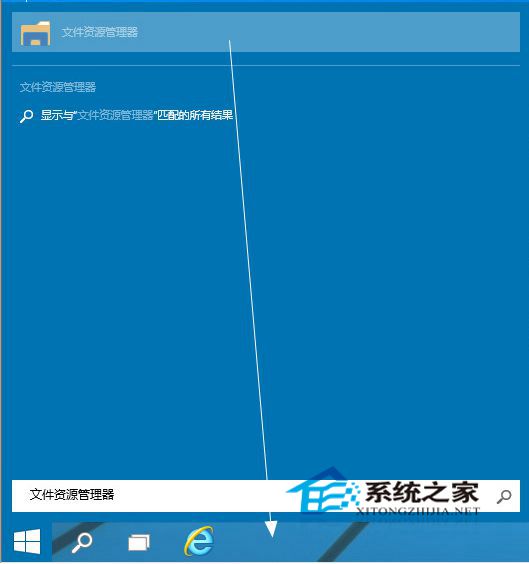
Win10 檔案總管新版首頁介面引起部分用戶不適,但功能仍實用,建議保留任務列固定。同法適用於任意應用程式固定至任務列。
Win7/8.1 右下角出現「取得 Windows 10」圖示怎麼辦?完整應對與升級實測
Windows 10 週年更新亮色主題概念設計曝光:任務列、開始選單全白,網友直呼「秒變 Win 95」
Win7 如何查詢連接埠號?CMD 指令 netstat -na 一鍵列出所有連接埠狀態
Win8 無法辨識光碟機、裝置管理員顯示驅動損毀?刪除註冊表 UpperFilters/LowerFilters 修復
Win10 多工作業檢視完整教學:虛擬桌面、視窗快速切換、多螢幕模擬
XP系統IE瀏覽器標題欄添加自定義文字:組策略個性化品牌宣傳技巧
升級 Windows 10 十大理由之二:Xbox 整合、遊戲串流、Game DVR、DirectX 12 全方位玩家體驗