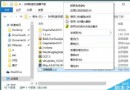
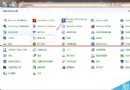
Windows 7 任務列通知區域(系統匣)圖示消失、不顯示,常見於系統圖示快取損毀或探索器異常。若不想手動修註冊表,可直接使用 360 安全衛士內建「人工服務」一鍵修復。
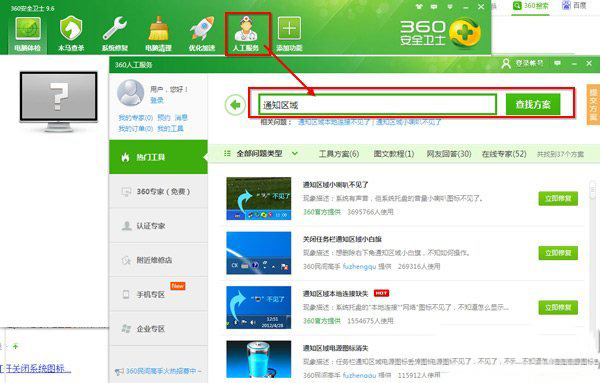
▲ 步驟 2-3:人工服務搜尋「通知區域」
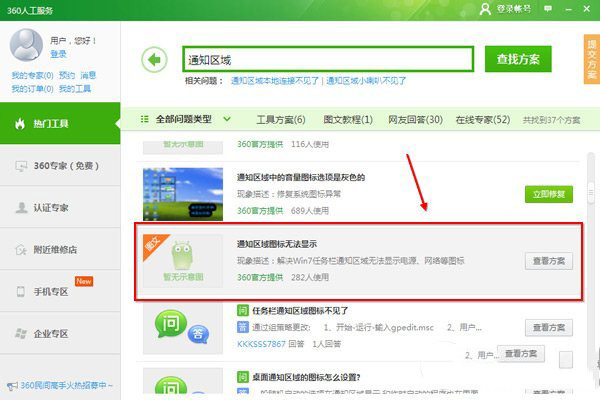
▲ 步驟 4:點擊「查看方案」執行修復
360 修復工具實際執行:重建 HKEY_CURRENT_USER\Software\Classes\Local Settings\Software\Microsoft\Windows\CurrentVersion\TrayNotify 下的 IconStreams、PastIconsStream 兩個二進制值,並重啟 Windows Explorer,等同於手動刪除註冊表快取後重啟殼程式。
若不想裝 360,可自行執行:
reg delete "HKCU\Software\Classes\Local Settings\Software\Microsoft\Windows\CurrentVersion\TrayNotify" /v IconStreams /f
reg delete "HKCU\Software\Classes\Local Settings\Software\Microsoft\Windows\CurrentVersion\TrayNotify" /v PastIconsStream /f
然後工作管理員重啟 explorer.exe。