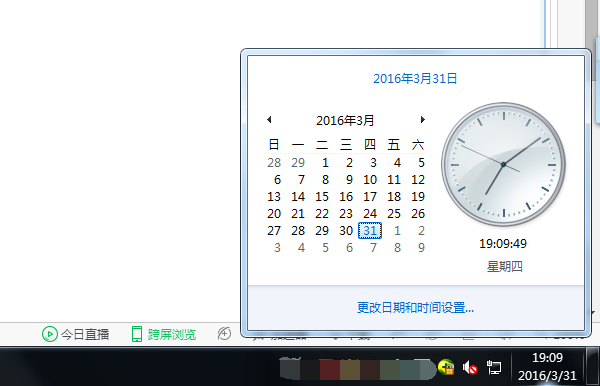
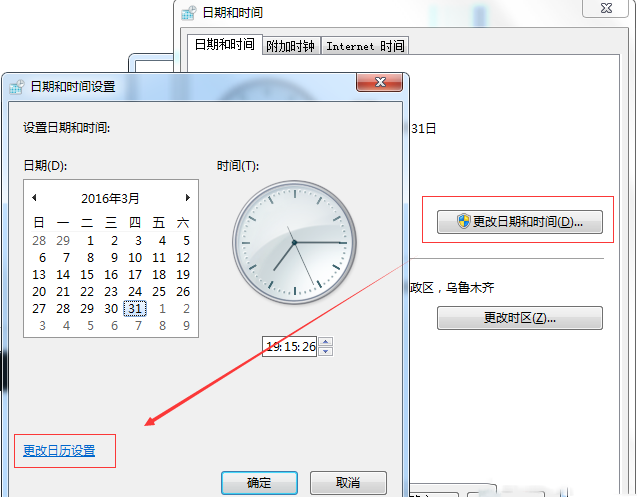
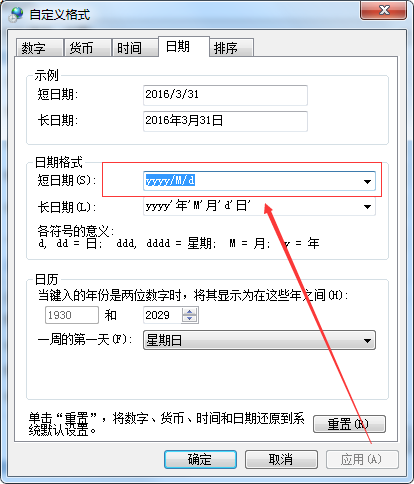
Windows 7 工作列右下角時間顯示為 2016-3-30 格式而非「幾月幾日」,需調整短日期格式。
2016-3-30
yyyy'年'M'月'd'日'
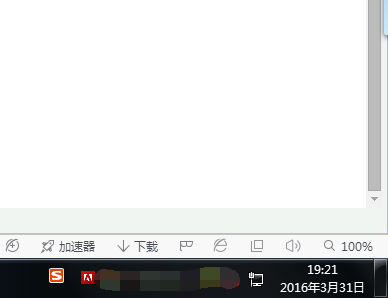
調整後工作列即顯示「2016年3月30日」格式,問題解決。
Win10 Mobile 10536.1004 上手體驗:系統更流暢、鎖屏延遲修復、單手模式全機型支援
微軟首次透露 Windows 10 國際定價:家庭版美區 119 美元、英區 99.99 英鎊、歐區 135 歐元
Win7 系統檔案修復神技:sfc /scannow 掃描修復損毀系統檔,免重灌
Win10 內建 OneNote 雲端筆記:兩種快速開啟方式記住就夠
Win10 直接進入桌面怎麼設定?開機啟動桌面/開始畫面設定教學
Win10 CPU 佔用過高、運行卡頓?三大優化方案降低負載
Windows 10 開始選單顯示資料夾自訂:小娜直達法與設定法雙教學
Win10 升級報錯 0x8024001e?官方病毒定義更新離線包修復 Windows Defender 解決升級失敗