Windows XP Windows 7 Windows 2003 Windows Vista Windows 綜合教學 Linux 系統教學
Windows 10 Windows 8 Windows 2008 Windows NT Windows Server 電腦軟體教學
您现在的位置: Windows教程網 >> Windows教程 >  >> Windows 綜合教學 >> 關於 Windows

Win8 升級 Win10 錯誤代碼 8007045D 導致失敗?PowerShell 執行 OA3xOriginalProductKey 修復授權狀態

編輯:關於 Windows

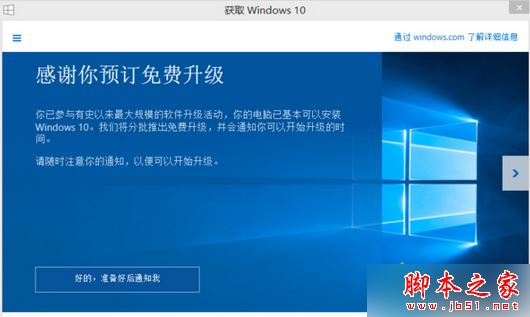
Win8 升級 Win10 遇到錯誤 8007045D (I/O 裝置錯誤/授權狀態異常),透過 PowerShell 讀取 BIOS OA3.0 金鑰可修復授權狀態,順利升級。
修復步驟

  1. Win+S 搜尋 powershell → 右鍵「以系統管理員身分執行」

  1. 複製貼上指令並執行:
    (Get-WmiObject -query 'select * from SoftwareLicensingService').OA3xOriginalProductKey
  2. 等待數秒 → 顯示 OEM 產品金鑰 → 授權狀態修復
  3. 重新嘗試升級 Win10

原理

OA3.0 (Windows 8/8.1 預裝授權機制) 將金鑰儲存於 BIOS ACPI 表格。升級過程需驗證此金鑰,授權服務異常時讀取失敗導致 8007045D。PowerShell 直接查詢 WMI 強制刷新授權快取。

補充

  • 若仍失敗,嘗試註冊表關閉升級推送 (兩法) 後重試
  • 確保 C 槽空間 > 20GB、斷網/關閉防毒、更新驅動
  • 最終方案:USB 媒體全新安裝 Win10 (保留檔案)

此法專針對授權狀態導致的 8007045D,硬體 I/O 錯誤 (硬碟壞軌/纜線鬆動) 需硬體層面解決。

Copyright © Windows教程網 All Rights Reserved