Windows XP Windows 7 Windows 2003 Windows Vista Windows 綜合教學 Linux 系統教學
Windows 10 Windows 8 Windows 2008 Windows NT Windows Server 電腦軟體教學
您现在的位置: Windows教程網 >> Windows教程 >  >> Windows 綜合教學 >> 關於 Windows

Win7 登入 Quality Center 客戶端元件無法下載?關閉 UAC 與 DEP 解決

編輯:關於 Windows

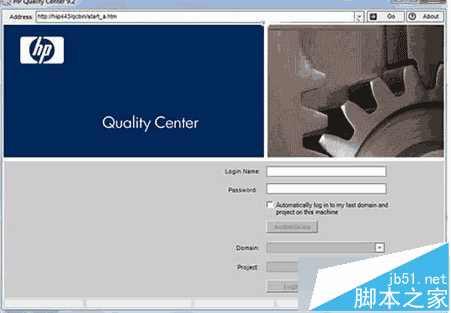
企業測試管理工具 Quality Center (QC) 在 Windows 7 登入後客戶端元件下載失敗,主因是使用者帳戶控制 (UAC) 與資料執行防護 (DEP) 攔截 ActiveX 元件安裝。關閉兩者即可解決。

解決步驟

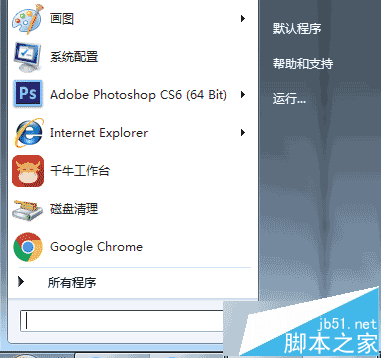
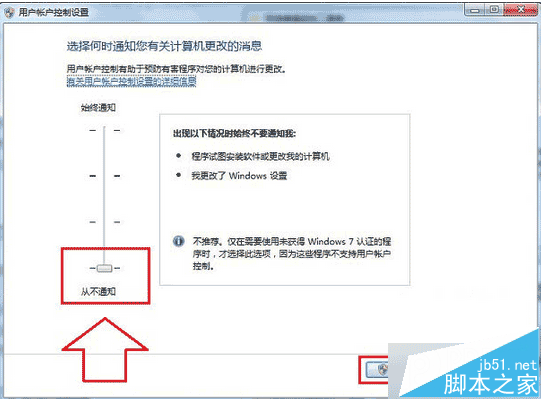
  1. Win+R → UAC → 將滑桿拉至最底 從不通知 → 確定。
  2. 開始 → 附屬應用程式 → 命令提示字元 右鍵 → 以系統管理員身分執行。
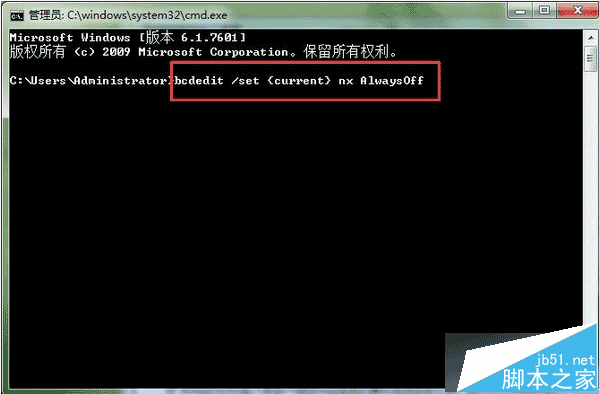
  3. 輸入 bcdedit /set {current} nx AlwaysOff 關閉 DEP → 重新開機。
安全提醒:關閉 UAC 與 DEP 會降低系統安全性,建議僅在 QC 客戶端安裝完成後重新開啟,或改用虛擬機器隔離環境運行舊版企業應用。

Copyright © Windows教程網 All Rights Reserved