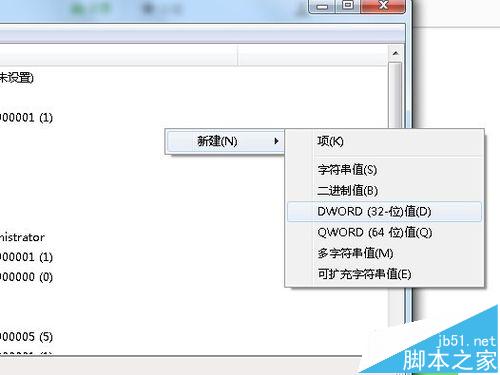
Windows 7 檔案總管 (explorer.exe) 不斷當機重啟,嚴重影響操作。透過登錄新增 AutoRestartShell DWORD 值設為 1,可阻止殼程式自動重啟,方便觀察錯誤或配合偵錯工具分析。
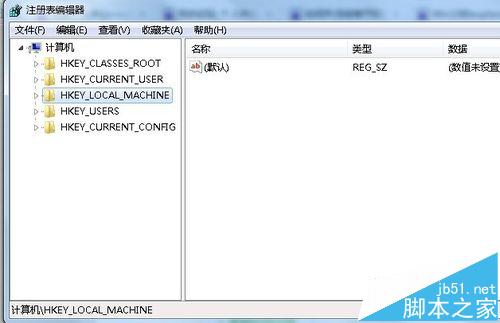
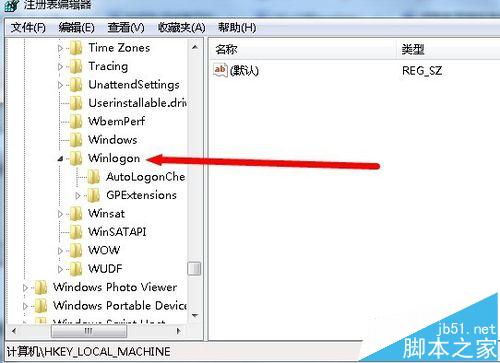
regedit 開啟登錄編輯器。HKEY_LOCAL_MACHINE\SOFTWARE\Microsoft\Windows NT\CurrentVersion\WinlogonAutoRestartShell。
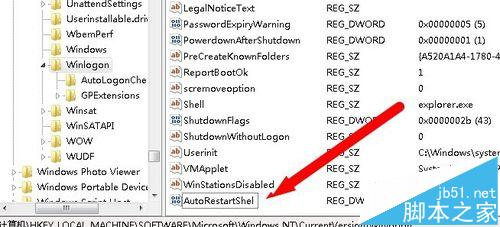
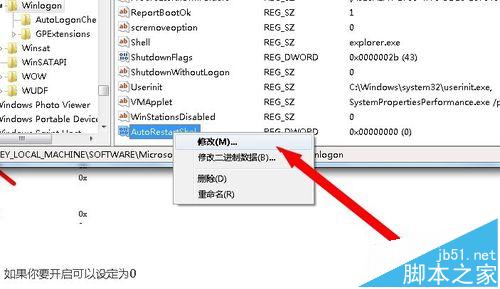
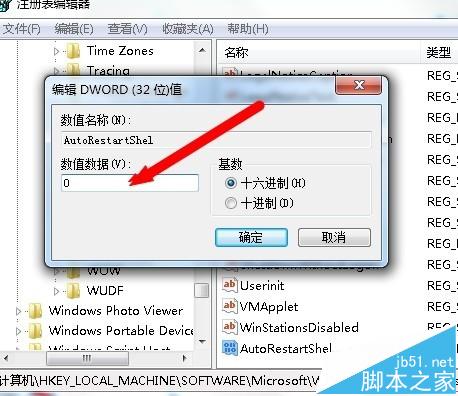
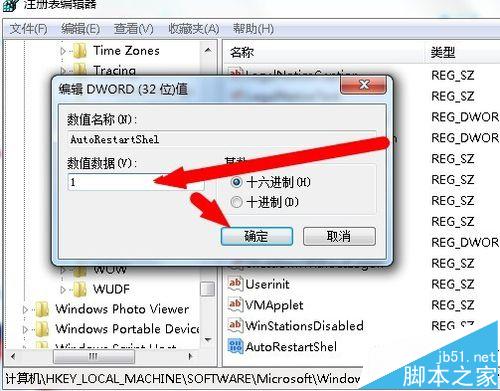
後續排查:阻止重啟後,檔案總管當機會停留在錯誤狀態,可配合事件檢視器 (Event Viewer) 查看 Application Error 記錄,找出故障模組 (如 shell extension、顯卡驅動、第三方右鍵選單擴充) 進行針對性修復或解除安裝。
WinXP IE 首頁被竄改怎麼辦?電腦管家掃毒清理外掛與鎖定首頁完整教學
Win8.1 觸控鍵盤圖示無法關閉/自動彈出?停用 TabletInputService 服務與 Chrome 衝突排查
Win10 虛擬桌面 (任務檢視) 完整操作教學:建立、切換、鍵盤熱鍵
Win7 安裝程式報「Microsoft 註冊伺服器已停止運作」:DEP 排除法修復
什麼是 Continuum 連續性?Win10 Mobile 連接大螢幕體驗深度解析
Win7 IE 停用分頁瀏覽模式:還原單一視窗單一網頁傳統操作