Win10 修改 hosts 檔案翻牆/屏蔽網址後導致瀏覽異常?將檔案還原為原版標準內容即可解決。以下為 Win10 官方預設 hosts 完整內容。
C:\Windows\System32\drivers\etc\hosts (需管理員權限)。# Copyright (c) 1993-2009 Microsoft Corp.
#
# This is a sample HOSTS file used by Microsoft TCP/IP for Windows.
#
# This file contains the mappings of IP addresses to host names. Each
# entry should be kept on an individual line. The IP address should
# be placed in the first column followed by the corresponding host name.
# The IP address and the host name should be separated by at least one
# space.
#
# Additionally, comments (such as these) may be inserted on individual
# lines or following the machine name denoted by a '#' symbol.
#
# For example:
#
# 102.54.94.97 rhino.acme.com # source server
# 38.25.63.10 x.acme.com # x client host
# localhost name resolution is handled within DNS itself.
# 127.0.0.1 localhost
# ::1 localhost
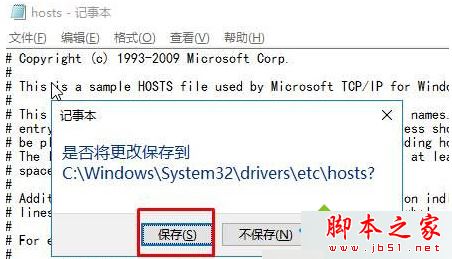
注意:修改 hosts 需管理員權限,建議以系統管理員身分開啟記事本再開啟檔案編輯,或複製到桌面編輯存檔後覆蓋回原位置。
還原標準內容後,DNS 解析即恢復系統預設行為,所有網頁正常存取。