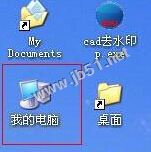
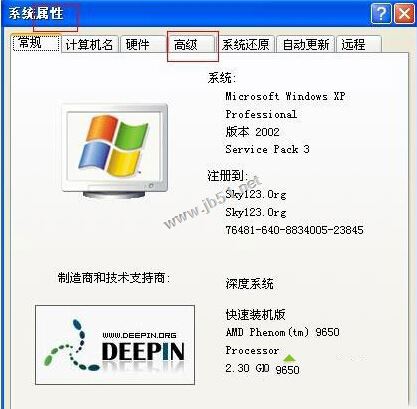
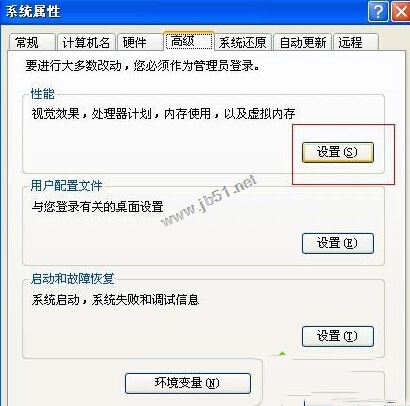
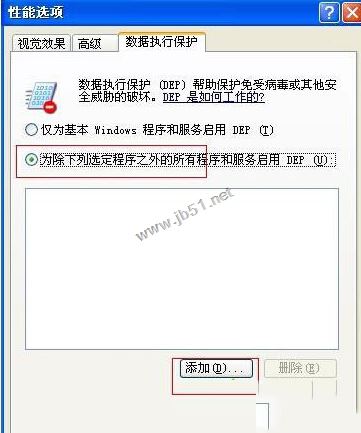
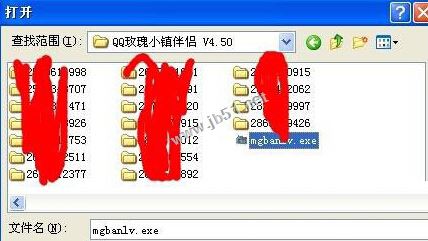
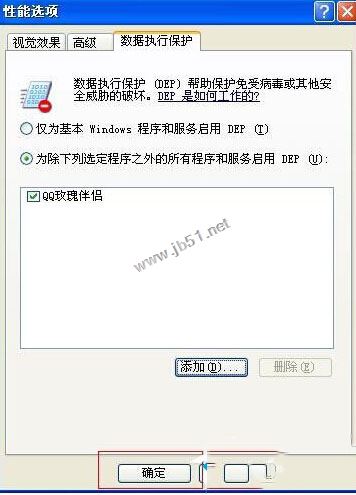
XP 執行特定程式彈出 Access Violation At Address,主因為資料執行保護 (DEP) 攔截該程式記憶體操作。將程式加入 DEP 例外清單即可解決。
此法適用於舊版程式在 DEP 保護下誤判的相容性問題。
Win7 群組原則禁用系統還原:防止他人還原導致設定遺失
WinXP 無法刪除影片檔案解法:取消註冊 shmedia.dll 移除預覽
Windows 7 slmgr 指令重設授權延長試用期至 360 天
Windows 7 開機跳出 DLL 錯誤?透過登錄與系統設定移除殘留啟動項
誤刪 $Windows.~BT 資料夾導致升級卡住?任務管理員重啟 wudfsvc 服務恢復下載
Mac iTunes 備份檔案位置在哪?兩種快速找到備份資料夾方法
Win8.1 寬帶撥號後自動開啟 Bing 網頁?兩種方法徹底關閉 NCSI 主動探測
Windows 10 升級全方位防禦指南:阻擋強制升級、關閉自動更新、移除推廣圖示一次搞定