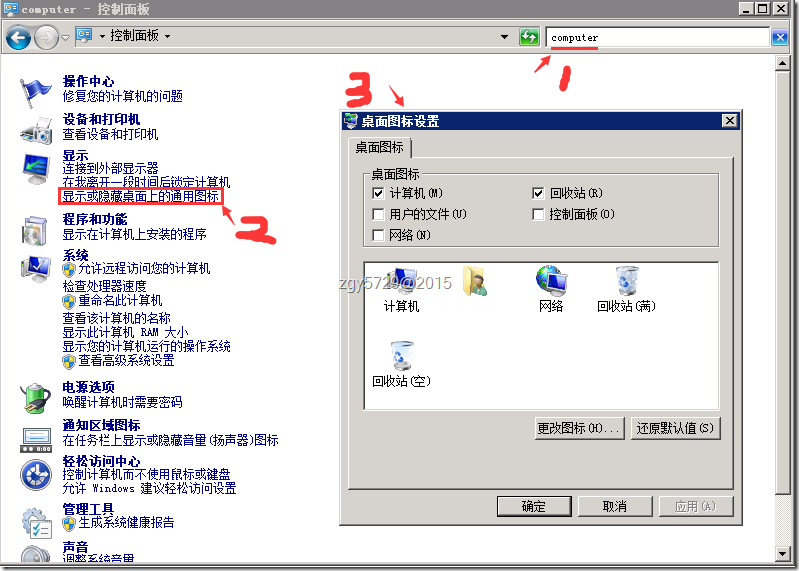
Server 2012 預設為 Modern 介面,傳統「桌面圖示設定」在控制台極難找到。提供兩種快速叫出的方法。
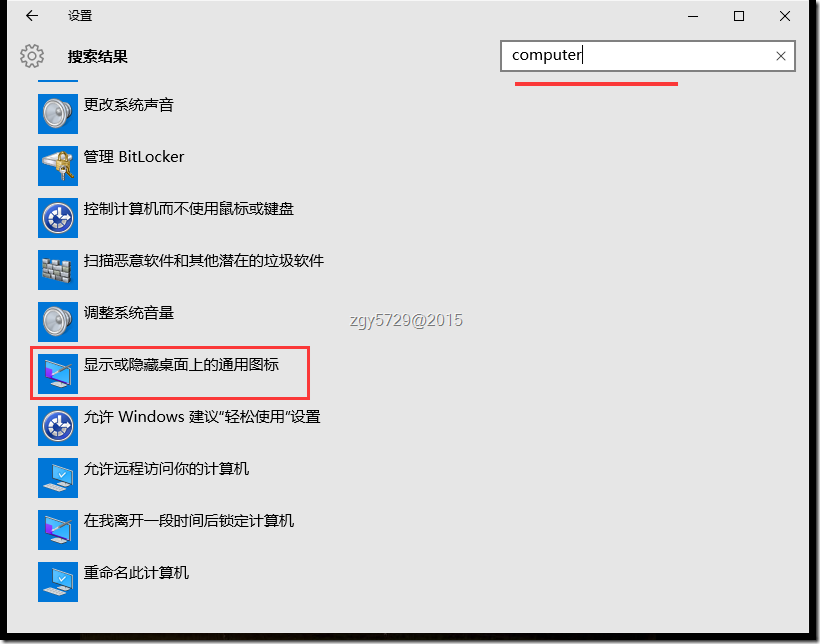
computercomputer → 設定項目下即現「顯示或隱藏桌面上的常用圖示」。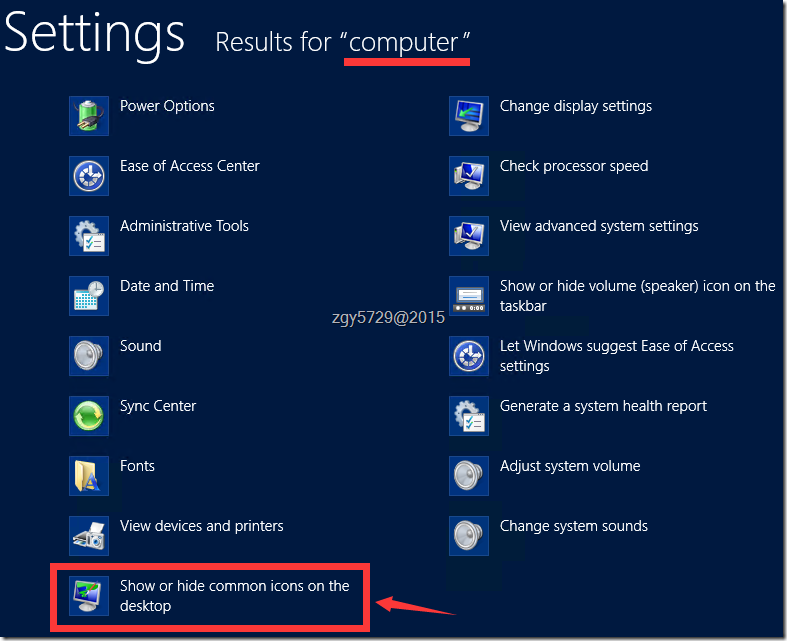
computer 同樣可直達。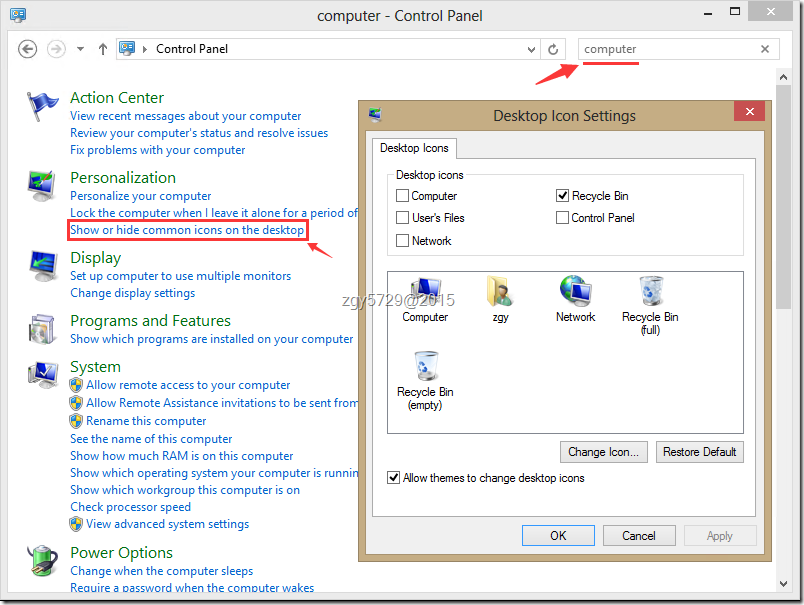
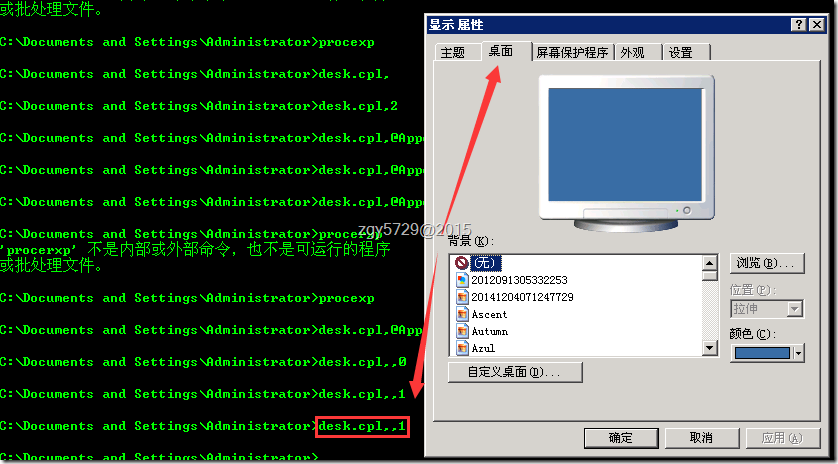
desk.cpl,,0(適合老手)分析原指令 rundll32.exe shell32.dll,Control_RunDLL desk.cpl,,0:
• rundll32 呼叫 shell32.dll 的 Control_RunDLL 執行 desk.cpl 第 0 索引標籤。
• 簡化為 desk.cpl,,0,在「執行」(Win+R) 或 CMD 直接執行即可叫出「桌面圖示設定」對話框。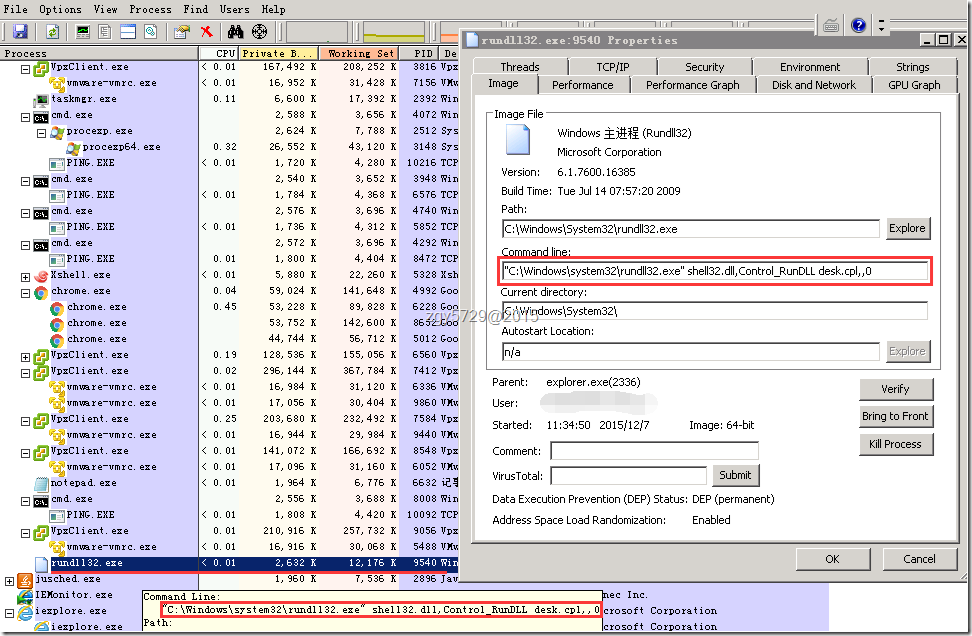
desk.cpl 參數語法:desk.cpl,@m,n 開啟第 m 頁第 n 標籤,單頁面時 ,,0 即為第一個標籤。desk.cpl,,1 在 XP 時代可開啟桌面自訂精靈,現保留相容性。strings.exe 可發現 desk.cpl 內建開關:@Themes、@Desktop、@ScreenSaver、@Appearance、@Settings,分別對應主題、桌面、螢幕保護、外觀、設定頁面。微軟漸進式弱化傳統控制台,引導使用者善用搜尋與現代化設定,掌握 desk.cpl,,0 等指令可在過渡期保持效率。
Windows 10 升級指令 wuauclt.exe /updatenow 無效解決方案與終極手動下載法
Win10 TH2 設定 Windows Hello 臉部辨識登入完整教學(含 Surface Pro 4 紅外鏡頭)
Win7 連 WiFi 訊號弱三大解決方案:調整路由器功率、位置、排除干擾
Win10 10525 語言包已釋出(32/64 位)離線安裝包下載
XP 開機提示「Administrator 帳戶已被鎖定」無法進入系統?PE 系統替換 C:\Windows\System32\config\SAM 檔案修復
Win7 安裝 UE (USB Encryption) 後關機藍屏 0x00000018?刪除 hpmobiledisk.sys 驅動與登錄項徹底解決