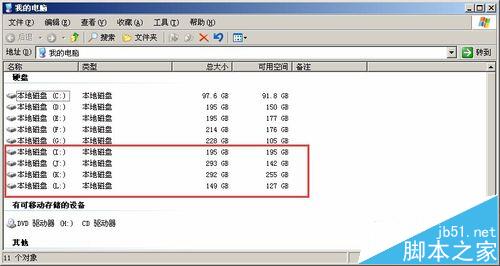
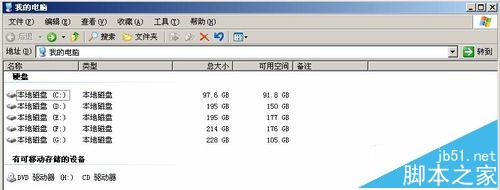
Windows Server 2003 (Win2003) 作為伺服器作業系統,預設安全策略禁用可移動儲存裝置,導致 USB 移動硬碟雖顯示連接圖示但「我的電腦」中無磁碟機代號。解決需兩步:啟用 Removable Storage 服務、在磁碟管理中為分區指派磁碟機代號。
故障現象
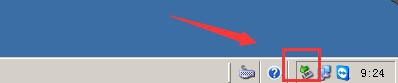
- USB 移動硬碟連接後,任務列顯示「安全移除硬體」圖示
- 「我的電腦」中無新增磁碟機代號
- 裝置管理器中磁碟機裝置正常,無錯誤代碼
解決步驟
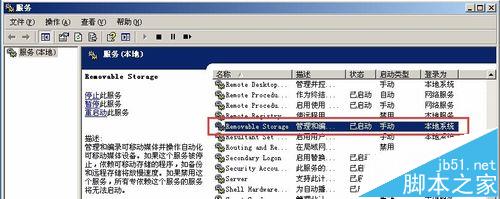
- 啟用 Removable Storage 服務:
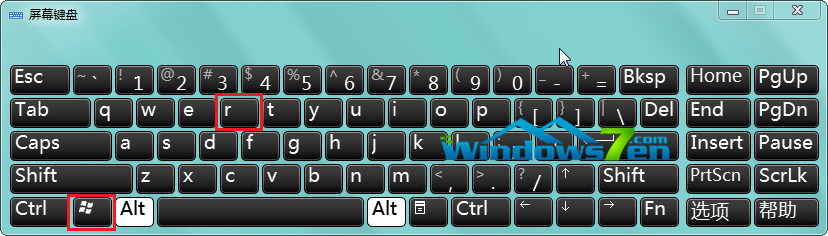
- Win+R → services.msc
- 找到 Removable Storage → 右鍵「啟動」→ 啟動類型改「自動」
- 磁碟管理指派磁碟機代號:
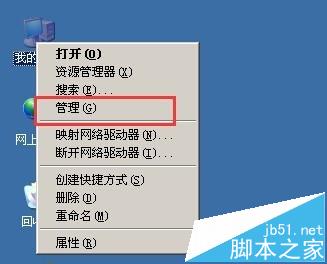
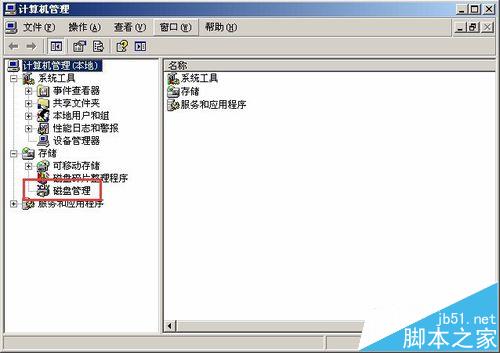
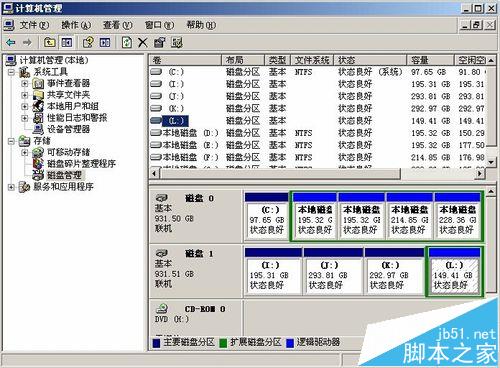
- 右鍵「我的電腦」→ 「管理」→ 「磁碟管理」
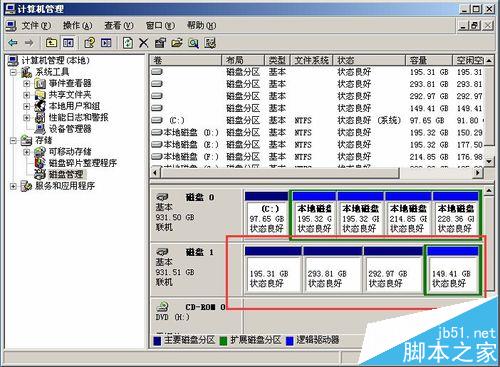
- 發現移動硬碟分區存在但無磁碟機代號
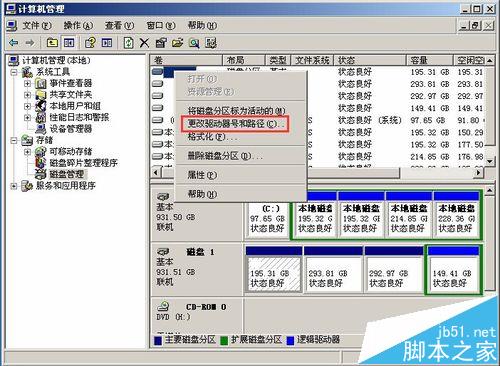
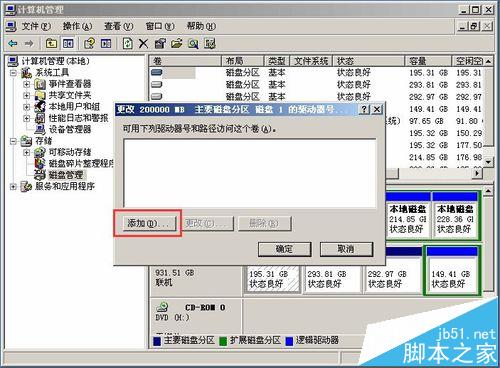
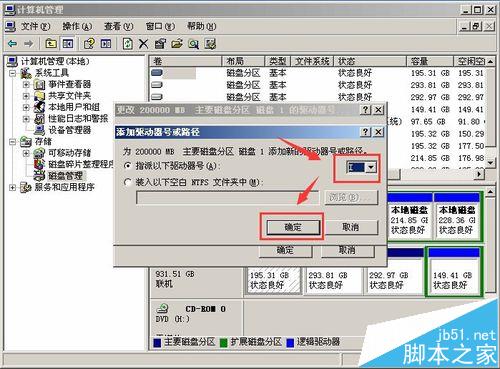
- 右鍵目標分區 → 「變更磁碟機代號和路徑」→ 「新增」
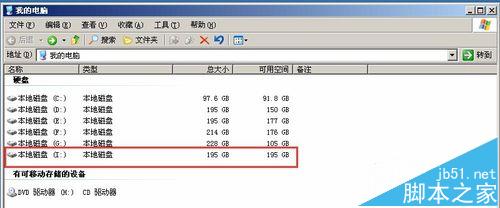
- 指派可用代號 (如 H:) → 確定
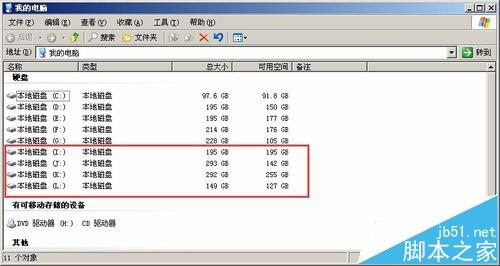
- 重複為所有需訪問的分區指派代號
關鍵服務說明
| 服務名稱 | 功能 | 停用後果 |
|---|
| Removable Storage | 管理編目可移動媒體、操作自動化媒體裝置 (磁帶庫/光碟庫/USB) | 系統無法使用任何可移動儲存裝置 |
注意事項
- 指派磁碟機代號避免與現有代號衝突 (網路磁碟機/虛擬光碟機)
- Win2003 為 2015 年 7 月結束支援,生產環境強烈建議遷移至 Server 2016/2019/2022
- 若為 GPT 分區 >2TB 硬碟,Win2003 32 位版本無法識別,需 64 位版本