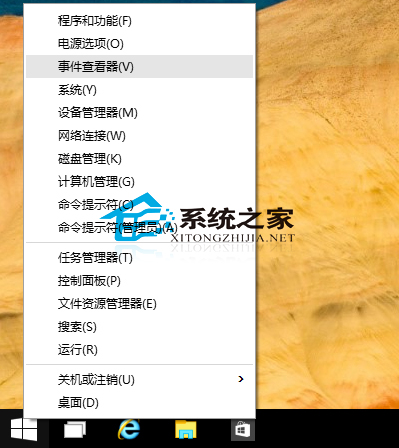
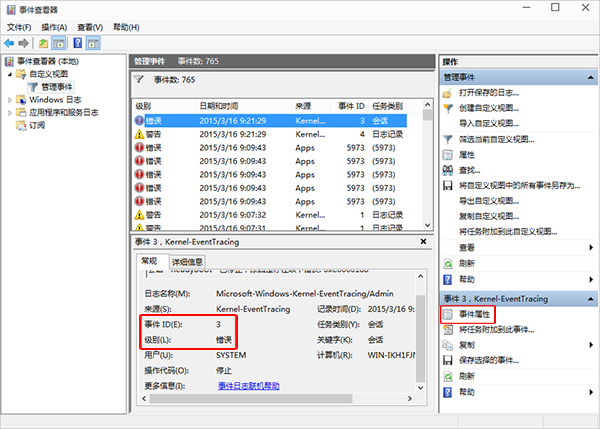
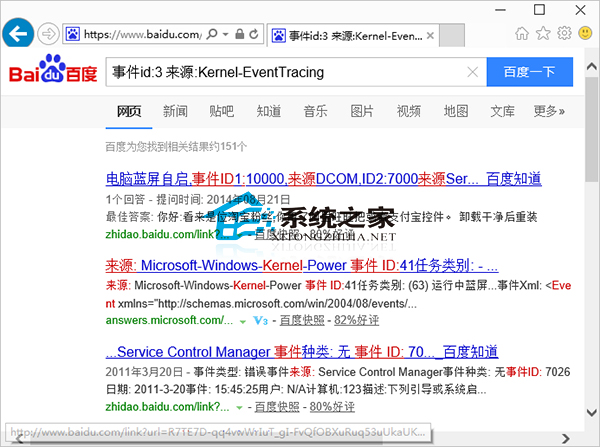
系統出現問題時,事件檢視器會記錄詳細資訊。善用它可快速定位問題成因與解法。Win10 操作教學:
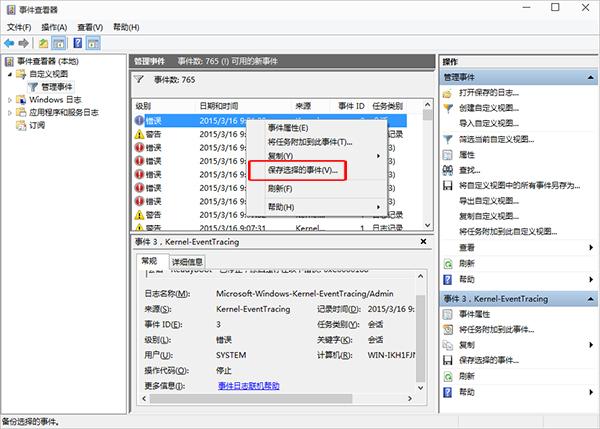
提示:可右鍵事件選「儲存選取的事件」匯出 .evtx 檔分享給他人協助診斷,或匯出整個自訂檢視。Win8 作法大同小異。
.evtx
Windows 8 任務列還原至螢幕底部的完整設定教學
Windows 10 家庭版升級專業版中國區售價 879.99 元,美區價格 $99(約 615 元)差價 265 元
Win10 內建錄螢幕功能 Game Bar 使用教學:快捷鍵、儲存位置、MP4 格式全說明
Win10 修改 Cortana 搜尋列提示文字:註冊表自訂「有問題儘管問我」為專屬問候
Win7 系統設定工具在哪?msconfig 命令快速開啟系統配置,管理啟動項與開機選項
Windows 10 應用商店無法開啟提示「使用者帳戶控制已關閉」?開啟 UAC 即可解決
微软发布 Win10 SDK 开发者工具:含通用应用模板、模拟器、VS2015 集成版下载
Windows 8 Metro 風格字體 Segoe UI 系列 18 款打包下載