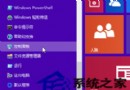
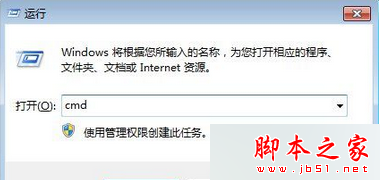
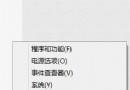
Win7/Win8 即使未預約升級,Windows Update 仍會靜默下載 3-6GB Win10 安裝文件佔用磁盤。徹底解決:卸載相關補丁 + 隱藏更新,防止再次下載。
控制面板 → 程序和功能 → 查看已安裝的更新,右鍵卸載以下 KB:
| 系統 | 需卸載的 KB 編號 |
|---|---|
| Windows 7 | KB3035583、KB2952664、KB3021917 |
| Windows 8/8.1 | KB3035583、KB2976978 |
卸載完成後重啟電腦。
管理員 PowerShell 執行:
wusa /uninstall /kb:3035583 /quiet /norestart
wusa /uninstall /kb:2952664 /quiet /norestart
wusa /uninstall /kb:3021917 /quiet /norestart
# Win8 再加
wusa /uninstall /kb:2976978 /quiet /norestart
# 隱藏更新需圖形界面操作或使用 COM 接口腳本
若日後決定升級:Windows Update →「已隱藏的更新」→ 恢復顯示相關 KB,或直接下載 Media Creation Tool 全新安裝 Win10。
Win7 設定螢幕保護程式、視窗顏色與進階外觀:個人化介面一站式完成
升級 Win10 必知五大潛在問題:升級 Bug、相容性、設定混亂、無 DVD 支援、顯卡驅動無回應
Win10 升級 10049 版本完整實測:下載、安裝、耗時、空間需求全記錄
Win8.1 將系統時間格式改為 12 小時制(AM/PM)圖文教學
Win10 QQ 語音音量太小?錄音裝置屬性調整麥克風音量 + 啟用音訊增強
Win10 Mobile 紅石 14322 新功能:SIM 卡「僅用 3G/4G」+ 音訊路由/自動揚聲器切換
WinXP/Win7 無法開啟「我的電腦」/「我的文件」?Explorer 殼修復批次檔一鍵修復
Windows 10 回收站圖示能否固定在任務列?官方僅提供入口,第三方小工具 MiniBin 可在系統匣顯示容量並操作