電腦借人使用時,可透過群組原則禁止存取 USB 裝置,保護資料安全。
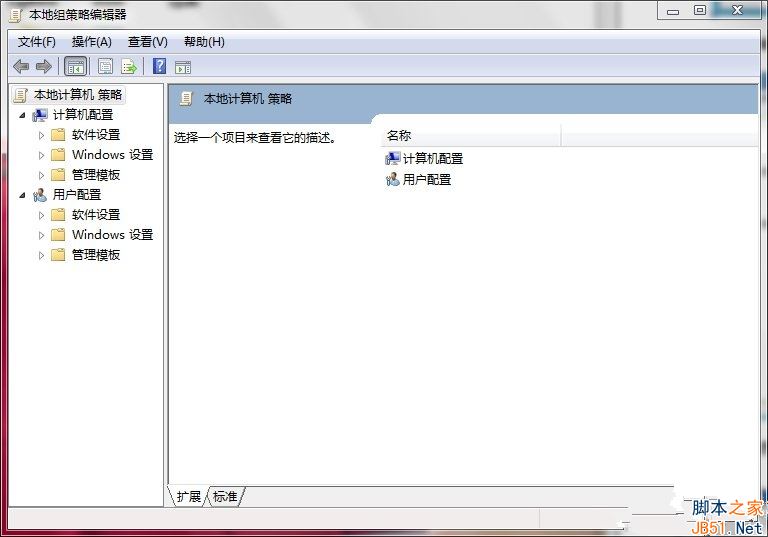
gpedit.msc
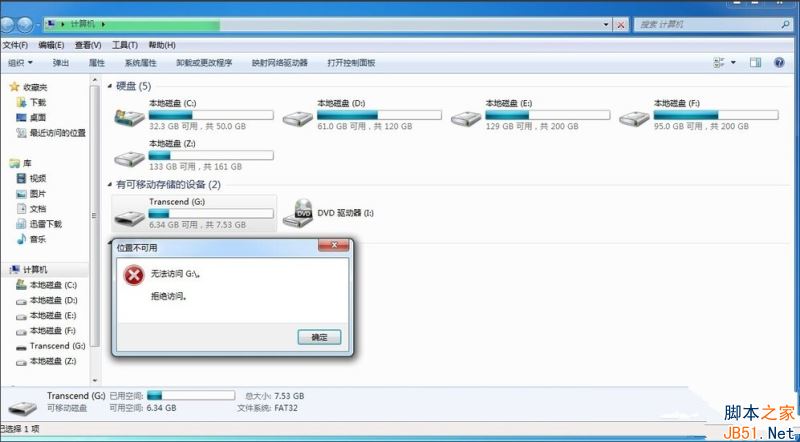
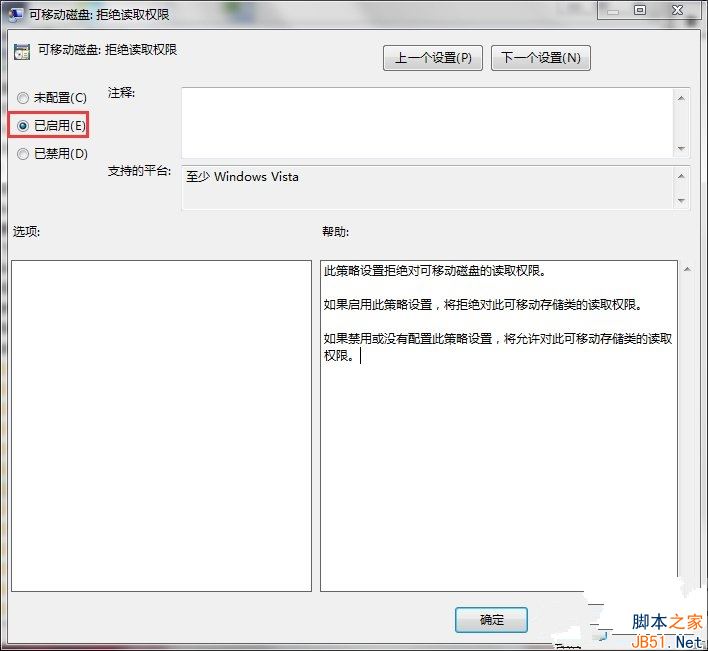
設定完成後插入 USB 將出現「存取被拒絕」對話框,無法讀取資料。同樣路徑下也可設定拒絕寫入/執行等權限。
Windows 10 家用版/專業版台灣售價出爐,盒裝版改用 USB 安裝
Windows 系統 .bat 批次檔預設開啟方式錯誤修復教學
Win10 C 槽清理完整教學:釋放磁碟空間、提升系統效能
Win8 資訊應用新增自訂主題,設定個人興趣點
Win7 BitLocker 磁碟加密完整教學:保護隱私資料防竊取
微軟 10 月安全更新:3 項嚴重級漏洞修補,含 IE 累積更新、.NET Framework、核心模式驅動程式
Win7 如何修改內建管理員帳號名稱?電腦管理 → 本地用戶和群組 → 重新命名
Windows 8 家庭群組共用檔案/印表機/媒體串流完整設定