嘗試刪除或移動資料夾時,Windows 提示「動作無法完成,因為資料夾或檔案已在另一個程式中開啟」,卻找不到是哪個程式佔用。Windows 7 內建的資源監視器能精準定位鎖定檔案的進程,快速解決困擾。
操作步驟
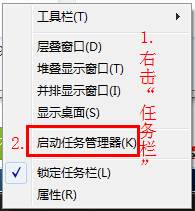
- 右鍵點擊工作列,選擇 「啟動工作管理員」 (或 Ctrl+Shift+Esc)。
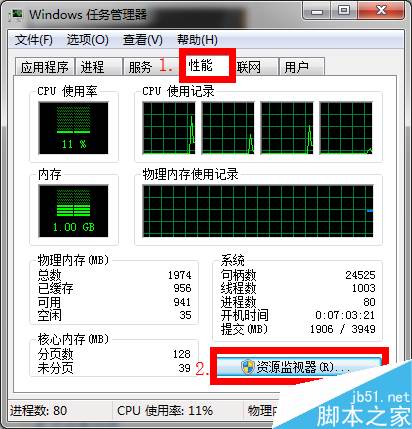
- 切換至 「效能」 索引標籤,點擊底部 「資源監視器」 按鈕。
- 在資源監視器視窗中,切換至 「CPU」 索引標籤。
- 展開 「關聯的控制代碼」 區塊,在搜尋框輸入被鎖定的資料夾/檔案名稱 (例如「鯊魚」),按 Enter 搜尋。
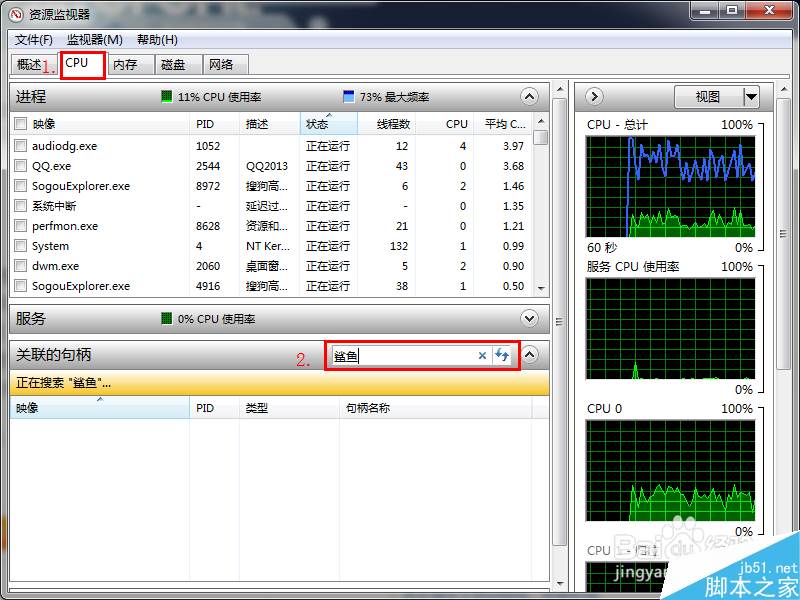
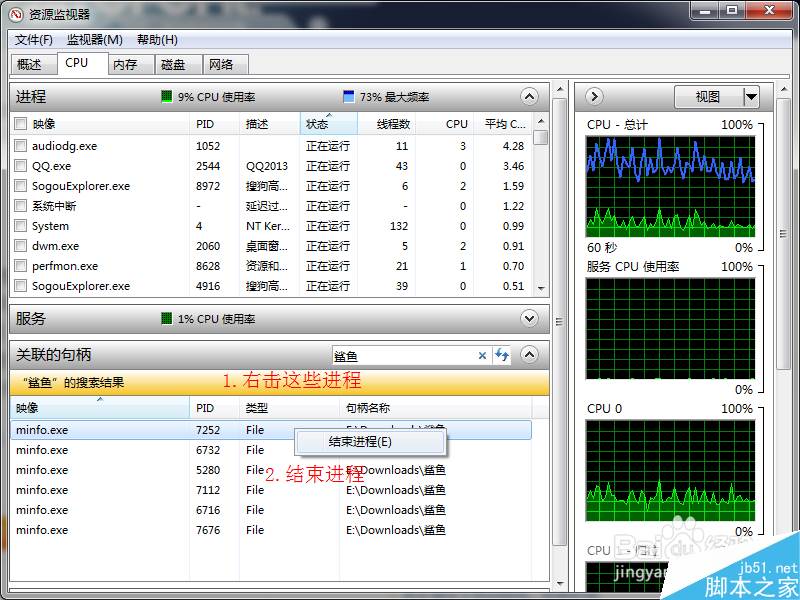
- 搜尋結果列出所有持有該檔案控制代碼的進程。逐一右鍵點選進程,選擇 「結束程序」。
- 確認所有相關進程皆已結束 (右鍵選單「結束程序」變灰),即可正常刪除/移動檔案。
補充說明
- 此法適用於 Windows 7/8/10/11,無需安裝第三方解鎖工具 (如 Unlocker、LockHunter)。
- 若系統關鍵進程 (如
explorer.exe, System) 鎖定檔案,請勿強制結束,改嘗試重新開機或安全模式操作。
- 常見佔用者:預覽窗格、防毒軟體掃描、編輯器備份、版本控制工具 (Git/SVN)。