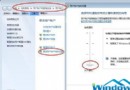
Windows 7 可直接在介面上顯示已連線無線網路的明文密碼,重裝系統或分享給同事時非常方便。
此功能僅限已連線過且存取權限足夠的使用者操作。
Windows 10 首版 Build 10240.17071 累積更新:修復 IE11、BitLocker、夏令時間等錯誤
百度 Win10 直通車下載的安裝檔在哪?預設儲存於非系統盤、容量最大且大於 5GB 的磁碟分區
Win10 Build 9926 開始選單/搜尋列打不開怎麼辦?兩大修復方案 (功能更新/群組原則/登錄表)
Windows 7 系統封裝完整圖文教程:從安裝、優化到 Sysprep 封裝製作專屬純淨版
Win10 TH2 秋季正式版激活完整教程:KMS 腳本一鍵激活所有版本
Win10 網卡驅動異常紅叉無法上網?驅動人生網卡版離線修復完整教學