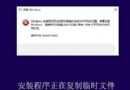
使用 WP-T-WAP 外掛透過 UC 瀏覽器發文時,遭遇兩個錯誤:
排查發現:UC 瀏覽器「高級設定 → WAP 壓縮 → 轉碼」被關閉導致 Cookie 無法正常傳遞。開啟「轉碼」選項後重新進入 WAP 頁面,雙雙問題瞬間解決。
結論:非外掛問題,乃瀏覽器壓縮轉碼功能攔截 Cookie 所致。啟用 UC 瀏覽器 WAP 壓縮轉碼即可恢復正常發文。
Win10 Build 9888 進入消費者預覽版階段:1 月底媒體發布會揭曉
Windows 10 Build 10049 隱藏亮點:計算機/錄音機/鬧鐘新 UI、控制台新圖示、Bio Enrollment 新程式
Win10 關閉開機歡迎畫面,加快啟動速度的設定教學
不格式化 USB 保留資料製作 Windows 8.1 安裝碟:註冊表啟用 Windows 7 USB/DVD Download Tool 隱藏功能
Win8 進入啟動選項選單(安全模式/UEFI 設定):新版圖形化介面操作
Win8.1 專業版禁用家庭群組服務:徹底阻止桌面圖示重複產生
意大利最高法院判決:用戶拒絕預裝 Windows 有權要求退還授權費,「微軟稅」將終結
WZor 爆料:Windows 10 RTM 最快 7 月 12 日 WPC 大會亮相