Windows XP Windows 7 Windows 2003 Windows Vista Windows 綜合教學 Linux 系統教學
Windows 10 Windows 8 Windows 2008 Windows NT Windows Server 電腦軟體教學
您现在的位置: Windows教程網 >> Windows教程 >  >> Windows 綜合教學 >> 關於 Windows

不格式化 USB 保留資料製作 Windows 8.1 安裝碟:註冊表啟用 Windows 7 USB/DVD Download Tool 隱藏功能

編輯:關於 Windows

官方 Windows 7 USB/DVD Download Tool 預設會格式化 USB,但透過匯入登錄檔啟用隱藏參數 DisableFormat=1,即可在保留 USB 原有資料的前提下寫入 Windows 8.1 ISO。

操作流程

  1. 下載並安裝 Windows 7 USB/DVD Download Tool 1.0.30.0。
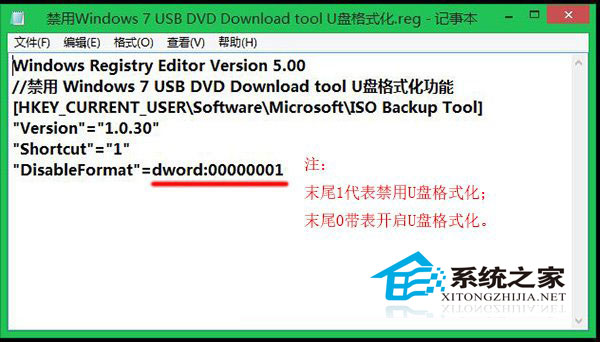
  2. 建立登錄檔 DisableFormat.reg,內容如下:
    Windows Registry Editor Version 5.00
    // 禁用 USB 格式化功能
    [HKEY_CURRENT_USER\Software\Microsoft\ISO Backup Tool]
    "Version"="1.0.30"
    "Shortcut"="1"
    "DisableFormat"=dword:00000001
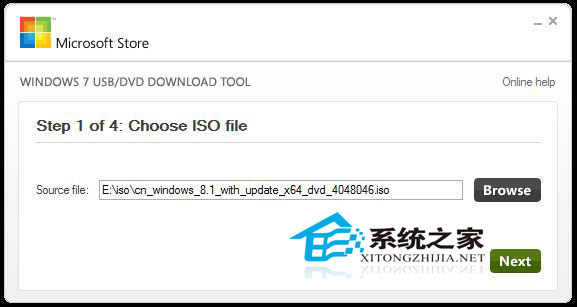
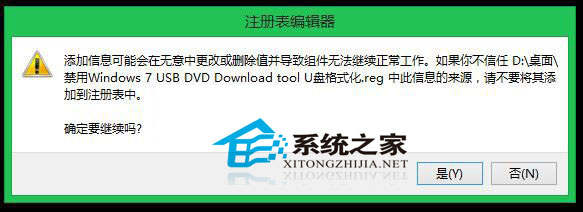
  3. 雙擊匯入該 .reg 檔。
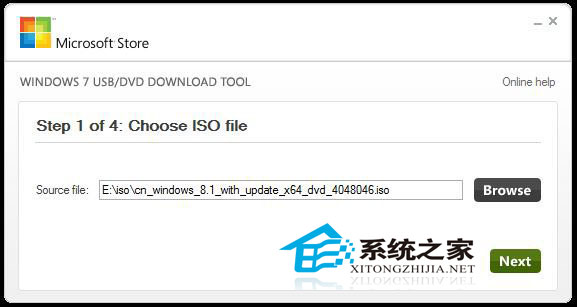
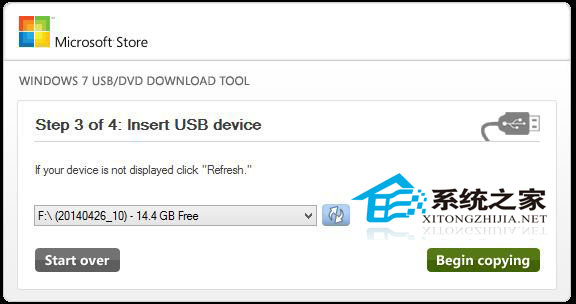
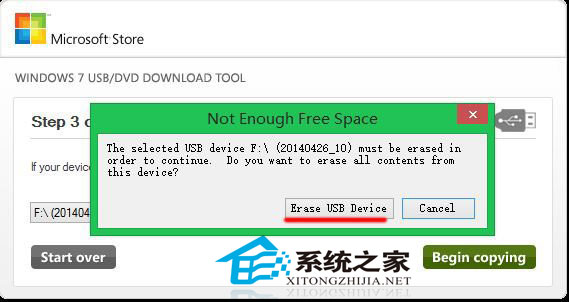
  4. 啟動工具,選擇 ISO → USB 裝置 → 開始複製。工具仍會提示「清除資料」,但實際會保留原有檔案。

工具介面
登錄檔內容
匯入登錄檔
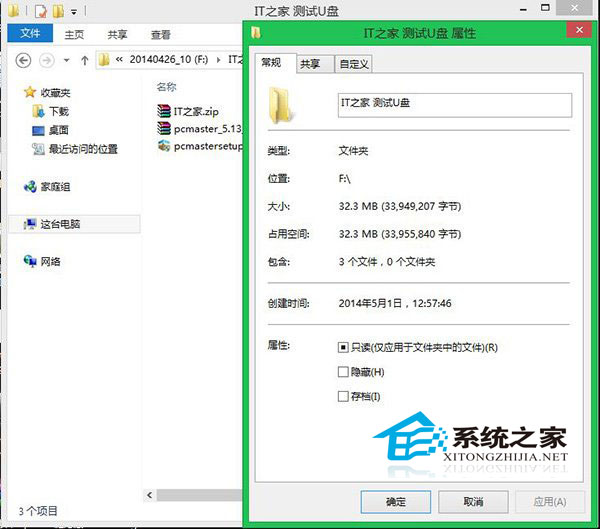
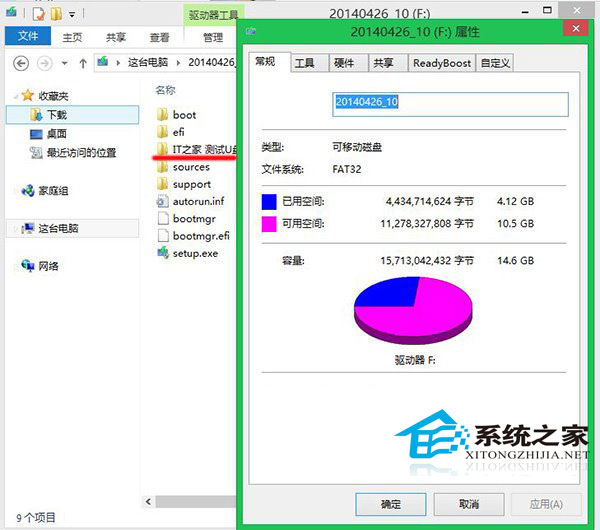
USB 原有資料
選擇 ISO
USB 模式
提示清除但實際保留
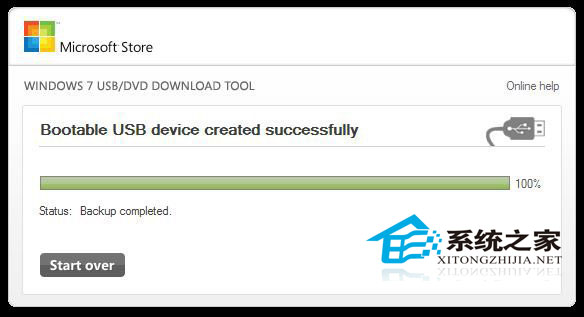
寫入進度
完成且資料保留

切換模式

需格式化時,將登錄值 DisableFormat 改為 0 並重新匯入即可恢復預設行為。

Copyright © Windows教程網 All Rights Reserved