Windows 8 引入 Office 風格的 Ribbon 介面,隱藏副檔名設定位置改變。三步驟快速切換:

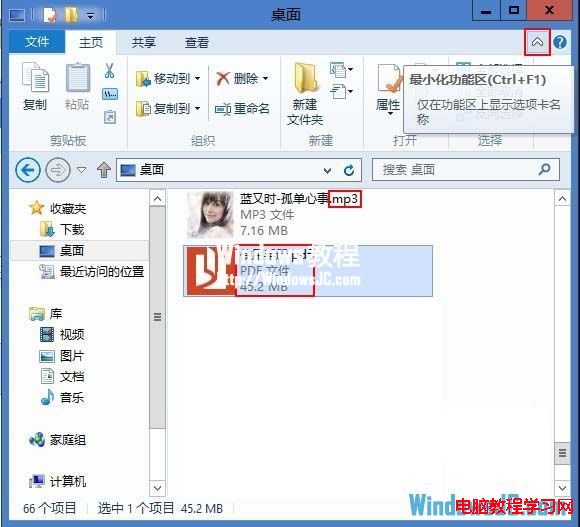
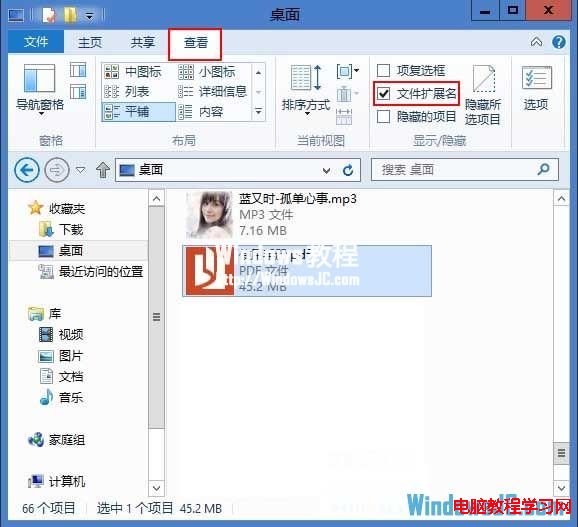
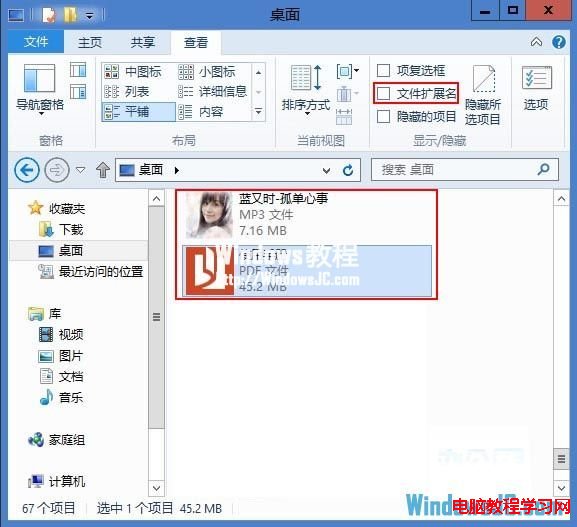
補充:同樣在「檢視」索引標籤可切換「隱藏的項目」顯示系統/隱藏檔案。
Win10 設定最佳螢幕解析度教學:透過設定 App → 系統 → 顯示 → 進階顯示設定
Win7 工作列無法釘選程式、拖曳圖示出現禁止符號?註冊表一鍵修復
Win10 平板模式工作列如何自動隱藏?官方暫不支援,第三方工具 Nibbler Apps 可解
Windows 10 技術預覽版隱私聲明深度解析:微軟將記錄用戶所有操作、按鍵、檔案存取與語音
Windows 系統無法開啟 .exe 執行檔的四種修復方法
Win10 周年更新各版官方 ISO 鏡像下載地址匯總:簡體/英文、家庭/專業/企業版、x64/x86 直連 ed2k