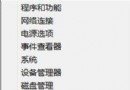
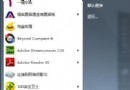
Windows 7 內建更新機制,但有時長時間未收到通知。請依下列步驟手動檢查並確認自動更新已啟用:
定期手動檢查可應對自動更新失效情況,保持系統修補最新弱點。
Win 10 正式版如何將小娜搜尋引擎改為 Google?自製 Chrome 擴充功能實現
Win10 Mobile 通用版 Skype 訊息應用功能演示影片搶先看
Win10 應用商店出現 QQ Windows 10 版海報,實際仍導向 Win8.1 版
Win7 開機彈出「找到新硬體精靈」?裝置管理員停用或更新驅動解決
Win10 按 PrtScn 不只複製螢幕,還能自動同步截圖到 OneDrive 所有裝置
Win7 開始選單加入「下載」連結,一鍵直達下載資料夾
Win10 Build 10532 vs 10525 差異在哪?無新功能、修正 Bug、右鍵選單與 Edge 微調
Win8.1 移除美式鍵盤教學