Win7 開機反覆彈出「找到新硬體精靈」,透過裝置管理員定位問題裝置處理:
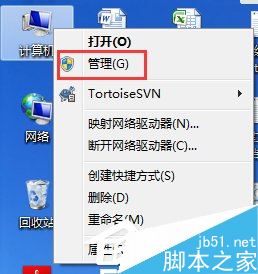
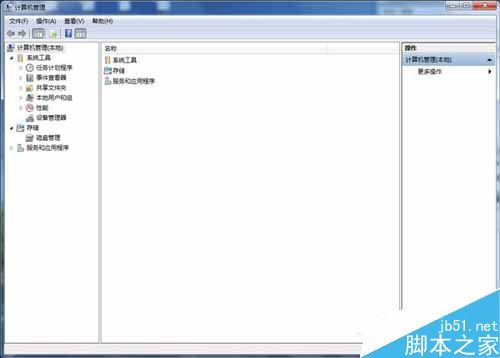
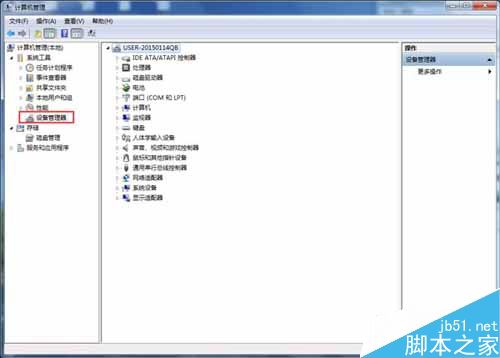
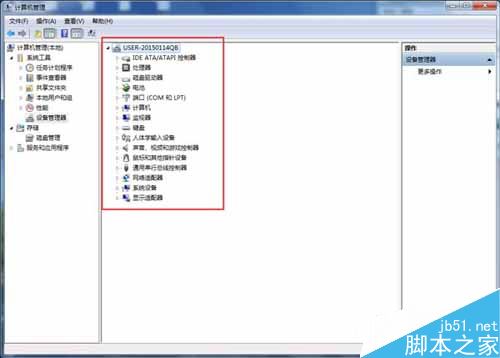
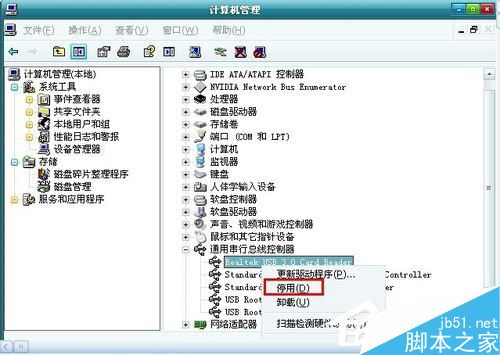
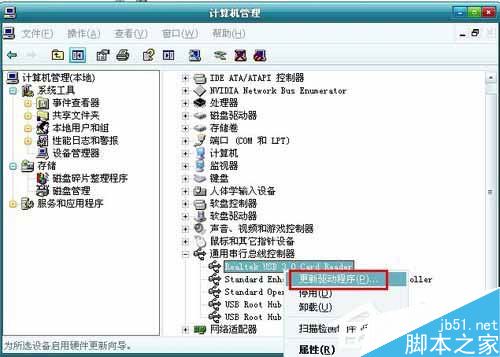
停用無用裝置最快止血;更新驅動可徹底解決相容問題。
Win10 檔案總管導覽列隱藏可移除裝置?登錄搜尋法快速定位修改
Windows 10 通用應用商店預覽版曝光:整合多平台的關鍵一步
Windows 8 修改登錄表縮小對話框視窗邊框,打造類 Mac 風格
Win10 10061主題色彩修改教學:設定App「個人化>色彩」三選項詳細解析
Win7 驗證 localhost 解析狀態:ping 指令快速檢測 hosts 檔案是否被竄改
Win7 安裝程式報 mom.exe .NET Framework 初始化錯誤:安裝 .NET 4.0 修復
Win7 激活後無法開機?用 PE 開機盤引導硬碟啟動並卸載激活工具
Win10 Mobile 10.0.10134 多圖曝光 (15 張) :Edge/商店支援黑色主題、網址可釘選、行動網路改名、多工介面大改版