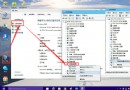
Windows 7 預設右鍵「新增」選單中沒有「文字文件」,許多習慣用記事本的用戶感到不便。只要匯入一段登錄檔,即可將「文字文件」加回右鍵選單。
Windows Registry Editor Version 5.00

[HKEY_CLASSES_ROOT\.txt]
@="txtfile"
"Content Type"="text/plain"

[HKEY_CLASSES_ROOT\.txt\ShellNew]
"NullFile"=""

[HKEY_CLASSES_ROOT\txtfile]
@="文字文件"

[HKEY_CLASSES_ROOT\txtfile\shell]
[HKEY_CLASSES_ROOT\txtfile\shell\open]
[HKEY_CLASSES_ROOT\txtfile\shell\open\command]
@="NOTEPAD.EXE %1"
notepad.reg(編碼選 ANSI 或 UTF-8)。原理:重建 .txt 副檔名關聯與 ShellNew 空檔案範本,讓殼層識別為可建立的新檔案類型。