Windows XP Windows 7 Windows 2003 Windows Vista Windows 綜合教學 Linux 系統教學
Windows 10 Windows 8 Windows 2008 Windows NT Windows Server 電腦軟體教學
您现在的位置: Windows教程網 >> Windows教程 >  >> Windows 綜合教學 >> 關於 Windows

Windows 7 工作管理器打不開?映像劫持病毒特徵與註冊表修復法

編輯:關於 Windows

症狀:Ctrl+Shift+Esc、Ctrl+Alt+Del 都叫不出工作管理員,滑鼠只閃一下無反應;regedit/gpedit.msc 設定無效、複製 taskmgr.exe 也不行、安全模式同樣、光碟修復安裝無效。

真相: 這是典型的映像劫持病毒。病毒在註冊表 HKLM\SOFTWARE\Microsoft\Windows NT\CurrentVersion\Image File Execution Options 下建立鍵值,將 taskmgr.exe 等執行檔導向 ntsd.exe(系統除錯器),導致程式被終止。

修復方法

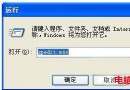
  1. 開啟 regedit。
  2. 定位至 Image File Execution Options。
  3. 刪除該鍵值下的所有子鍵(或僅刪除 taskmgr.exe 相關項)。
  4. 掃毒清除木馬(建議用最新版殺毒軟體)。

刪除映像劫持鍵值後,工作管理員即可恢復正常。

Copyright © Windows教程網 All Rights Reserved