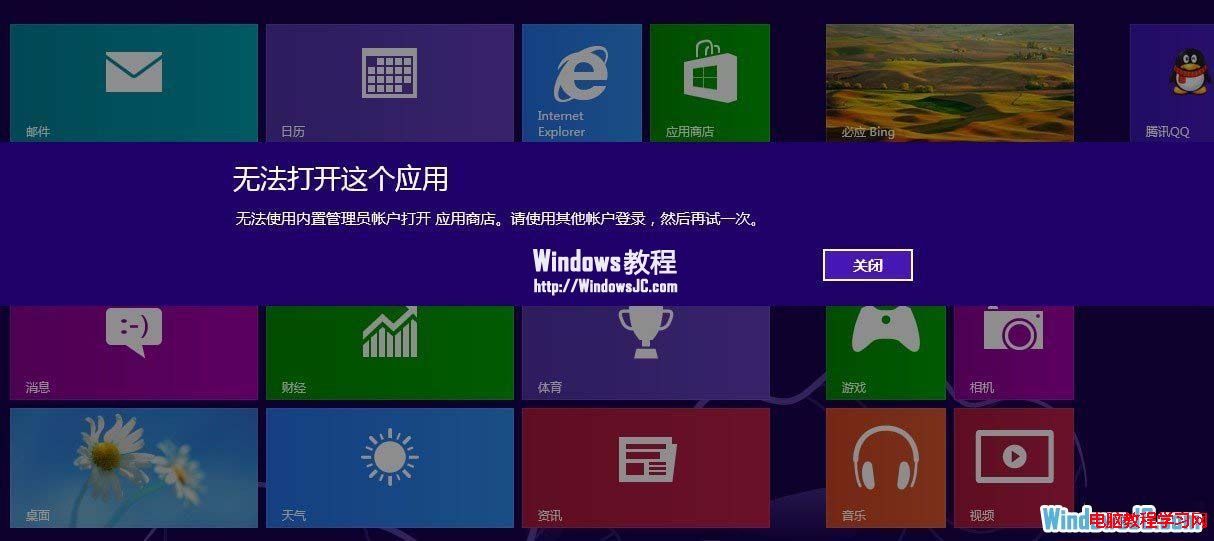
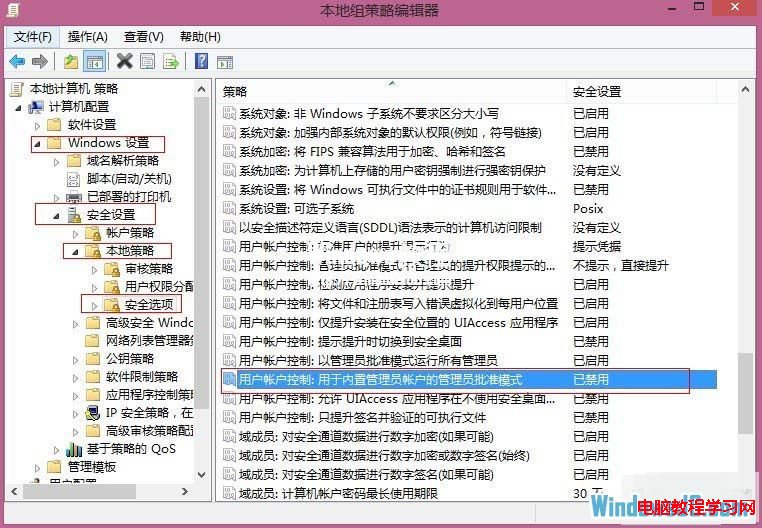
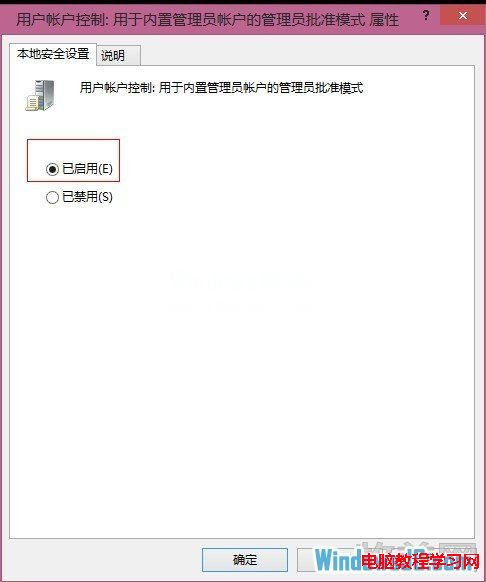
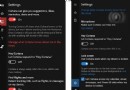
Win8 直接用 Administrator 登入時,無法開啟應用程式商店、相機等 Metro Apps,提示「無法使用內建管理員帳戶開啟」。需在群組原則啟用「使用者帳戶控制:內建管理員帳戶的管理員核准模式」。
gpedit.msc
電腦設定 → Windows 設定 → 安全性設定 → 區域原則 → 安全性選項
此做法實質降低 Administrator 權限至一般使用者等級。強烈建議改用 Microsoft 帳號登入,可享雲端同步、應用商店完整功能,且安全性更高。
XP 開機提示「系統檔案被替換為無法識別版本」完整修復指南:SFC、群組原則、註冊表三管齊下
Win9 曝光最新 Build 9835/9836:開發節奏加快,公開測試版臨近
Windows 10 安裝到 USB 隨身碟打造隨身系統:Windows To Go 完整教學
Windows 10 Mobile 10512 更新與修復內容完整彙總(持續更新)
Win10 企業版遭虛假 Windows Update 攻擊 風險源於 WSUS 未加密傳輸
重裝 Win7 遇到黑畫面?常見 6 大原因與對應解決方案
Windows 10 玩《英雄聯盟》卡頓?重新安裝最新顯示卡驅動程式即可流暢遊玩
Win8 記住寬帶撥號帳號密碼設定教學