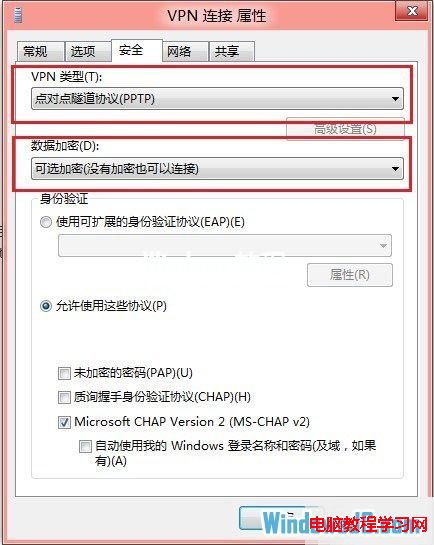
Win8 建立 VPN 連線常遇 691、629 錯誤。關鍵在於:非 AD 網域帳號,使用者名稱前必須加反斜線 \(如 \user)。並在 VPN 連線屬性中確認安全性/網路設定正確。
\your_username(前面有反斜線)。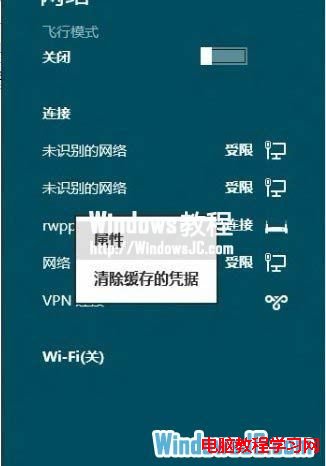
Win10 如何建立寬帶撥號連線?完整圖文步驟從控制台到工作列連線
Win10 預覽版 10061 推送內部員工,普通用戶暫無法升級安裝
影片評測:Win10 Mobile vs WP8.1 Lumia 640 執行速度對比
解決 Windows XP 磁碟重組工具提示「偵測到 chkdsk 排程在磁碟區執行」
Win10 Build 10532 更新失敗怎麼辦?移除 Hyper-V 後重試升級
Win7 完全隱藏資料夾:屬性勾選隱藏 + 系統設定不顯示隱藏檔案雙重保險
電腦顯示「正在設定 Windows 更新 失敗 請勿關機」怎麼辦?安全模式關閉自動更新暫時解套
Win10 使用蘋果 Flurry (流光) 螢幕保護程式:下載 .scr → 複製到 C:\Windows\System32 → 設定 → 個人化 → 螢幕保護程式選 Flurry