若想讓 Windows 8 自動記住寬帶帳號密碼,請依照以下步驟操作:
確認「寬帶連線」已成功連線。
桌面右鍵「網路」 → 「屬性」。
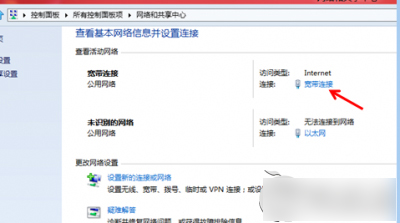
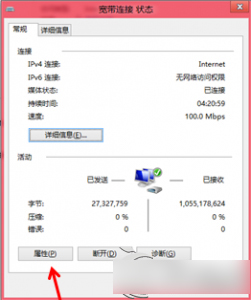
點選「寬帶連線」 → 「屬性」。
切換到「選項」索引標籤,勾選「記住我的認證」。
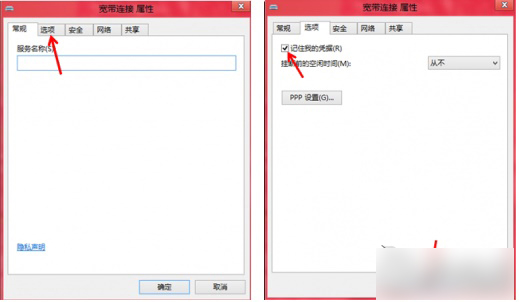
按「確定」完成設定,下次撥號將自動帶入帳號密碼。
此設定可避免每次重新輸入寬帶帳密,提升使用便利性。
Win10/Win8 高對比度模式設定教學:系統級深色/反色主題快速切換
Win10 开始菜单严重 Bug:快捷方式超 512 个导致崩溃,微软正在修复
Win10 升級四大官方管道總整理:ISO、推送、升級助手、第三方工具
Win10 桌面快速建立「畫圖」與「掃描」等小工具捷徑完整教學
Xbox One 夏季系統更新體驗:Cortana 語音助手、背景音樂、語言區域分離、Xbox Play Anywhere 全解析
Win10 專業版升級企業版圖文教程(另一版截圖記錄,含金鑰 VTNMT-2FMVP-QCY43-QR9VC-WTVCK)