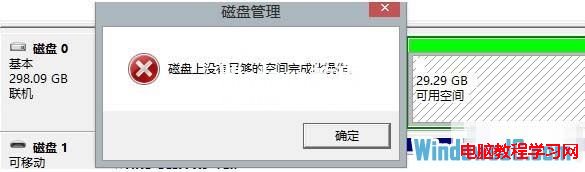
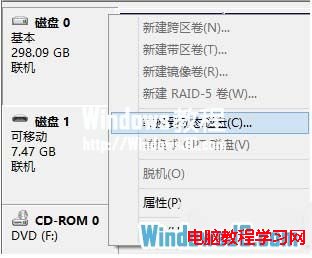
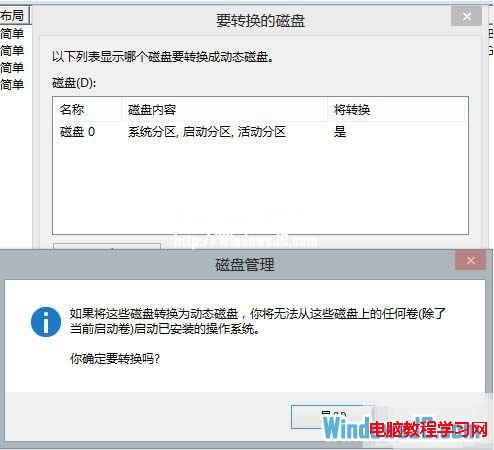
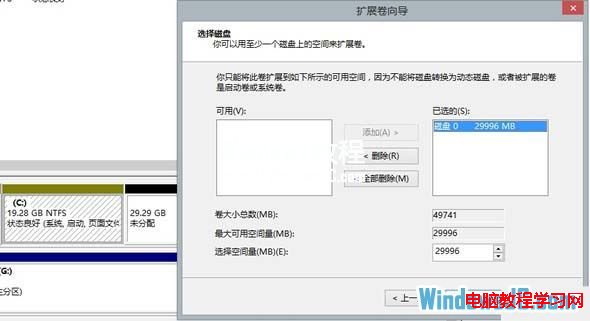
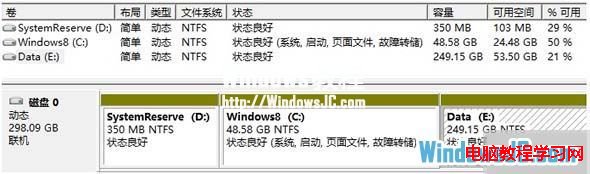
安裝 Win8 時 C 槽分太小(如 20 GB),用久了剩餘空間歸零。若刪除相鄰 D 槽後發現無法直接延伸(一主一擴展分區),可將基本磁碟轉為動態磁碟,再將 D 槽空間延伸至 C 槽。

Windows 7 安裝 IE10 失敗?移除預覽版更新後重新安裝教學
刪除 Windows 通知區域無效圖示:登錄清除 IconStreams 與 PastIconsStream 並重啟 Explorer
Win10 Chrome 卡頓解決:更新騰訊電腦管家修正相容性衝突
Win10 無法啟動承載網路解決:驅動更新、檢查支援性、啟用虛擬介面卡
Win10 開機彈出 dfrgfat.exe 應用程式錯誤?兩套修復方案:重註冊系統元件或重建 WMI 儲存庫
Win7 區域網路共享最簡單圖文教學:免家庭群組、免高階共用設定