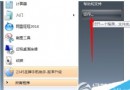
sfc /scannow
gpedit.msc
關閉檔案保護後系統檔可被自由修改/替換,風險極高,僅建議進階用戶在特定修改需求下操作,平時請保持啟用。
Win10 預覽版新功能:磁碟清理新增系統壓縮選項
Win7 工作列右下角三角形 (隱藏圖示) 不見了?取消「始終顯示所有圖示」即可找回
Win7 怎麼查激活狀態?三步驟用 slmgr.vbs 確認是否永久激活
Win10 關閉 SmartScreen 篩選器,解決「Windows 已保護你的電腦」頻繁彈窗干擾
Win10 Mobile 10080 更新全程實測:下載 618MB、安裝約 2 小時、新增機型、商店新版面、動態磁貼 Bug 需注意
Windows 8 無法玩 LOL(英雄聯盟)?多玩盒子反和諧 + 相容模式雙管齊下
最低 745 元:USB 版 Windows 10 提前上架亞馬遜
Win10 RS1 14271 首發上手測評影片:新功能、已知 Bug 與強迫症殺手「白色箭頭」