系統缺少 comdlg32.ocx 或該檔未註冊。
comdlg32.ocx
C:\Windows\System32\
regsvr32 comdlg32.ocx
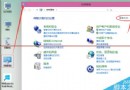
若仍失敗:控制台啟用 Administrator 超級管理員帳號 → 登入該帳號 → 再執行註冊指令,或以管理員身分執行批次檔。
Windows 7 SP1 原版 ISO 下載彙總(全版本、含 SHA1/CRC)
Windows 7 設定 Everyone 權限解決「權限不足」問題
Win7 開機「無法識別網路」黃驚嘆號?停用再啟用網卡一招搞定
Windows 7 桌面顯示行事曆小工具 一鍵新增
最新 Build 10240 截圖首曝:註冊表暗示即為正式版,ADK 已建立新 Windows PE 環境
Windows 7 調整 DPI 縮放比例讓高解析度螢幕文字更清晰
Windows 系統桌面不顯示圖示與工作列的兩種情況解決辦法
Win7 安裝 USB 無線網卡完整圖文教學:讓台式機也能連 Wi-Fi