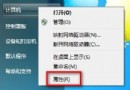
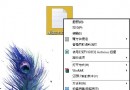
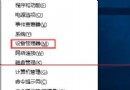
devmgmt.msc 開啟裝置管理員。設定後僅電源鍵能喚醒睡眠,避免碰觸鍵盤/滑鼠誤喚醒,無需重開機即時生效。
Win7 藍屏代碼 0x0000007A 實例解析:更換記憶體條解決
Win10 右鍵選單新增 PowerShell 腳本建立項,一鍵建立 .ps1 檔案
電腦安裝 Android-x86 雙系統,如何設定預設從 Windows 開機?分區助手修復 MBR + EasyBCD 新增 NeoGrub 引導
Windows 7 遊戲無法全螢幕解決方案:修改登錄表 Scaling 參數或顯示卡控制面板設定縮放模式
XP系統下安裝Win7雙系統圖文教學:虛擬光碟掛載ISO、格式化D槽NTFS、自訂安裝保留XP
Windows Server 2008 禁用本地連接埠雙法:Windows 防火牆新增阻擋規則 vs IPsec 原則深度防禦