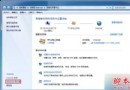
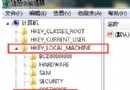
右鍵桌面「控制台」圖示 → 建立捷徑 → 將捷徑拖曳到工作列 → 鬆手選 「釘選到工作列」。
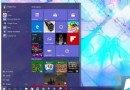
方法一:同控制台,建立捷徑拖曳釘選。 方法二:先釘選到「開始」畫面 → 右鍵開始磚 → 「釘選到工作列」。
參考方法二:先在「這台電腦」左側導覽窗右鍵各項目 → 「釘選到開始」 → 再從開始畫面右鍵 → 「釘選到工作列」。
完成後工作列即擁有系統級快速入口,效率大增。
Win10 刪除 Microsoft 帳戶兩種方法:電腦管理停用帳戶 vs 控制台移除帳戶
Windows Server 2003 將於 7 月 14 日停服:想繼續用需付費
Win10 桌面背景變黑無法更改?一招開啟「顯示 Windows 背景」解決
Win10 測試版用戶如何升級正式版?兩大路徑:留在 Insider 或回滾 Win7/8.1 升級
Win10 開機自動寬帶撥號設定教學:告別手動連線
Windows 7 防火牆打不開、服務啟動失敗?兩種方法強制啟用服務修復
Win10 開啟 Excel 提示「向程式傳送命令時發生問題」解決辦法
Windows 10 中國區裝機必備 28 款應用揭曉:QQ、愛奇藝、微博、QQ 音樂、優酷 HD 等生活娛樂類為主