Windows XP Windows 7 Windows 2003 Windows Vista Windows 綜合教學 Linux 系統教學
Windows 10 Windows 8 Windows 2008 Windows NT Windows Server 電腦軟體教學
您现在的位置: Windows教程網 >> Windows教程 >  >> Windows 綜合教學 >> 關於 Windows

微軟裝置健康狀態服務是什麼?有何用途?可否解除安裝?

編輯:關於 Windows

微軟裝置健康狀態服務 是透過 Windows Update 配送的 Windows 系統服務,旨在提升裝置健康度,並為線上銀行、網路支付平台等合作夥伴提供安全性驗證服務,包含裝置基本資訊識別、安全軟體健康度、其他安全相關設定檢測。

如何取得?

屬 Windows 作業系統重要安全服務,可直接透過 Windows Update 安裝。

如何解除安裝?

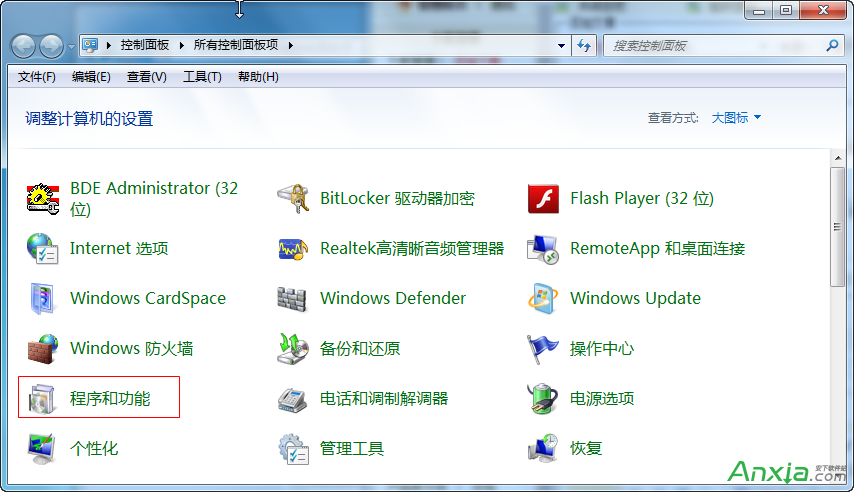
在「控制台 → 程式集 → 程式與功能 → 檢視已安裝的更新」中找到該更新(通常名為「微軟裝置健康狀態服務」或相關 KB 編號),右鍵選「解除安裝」。解除後無負面影響,建議在 Windows Update 中將其隱藏,避免自動重裝。
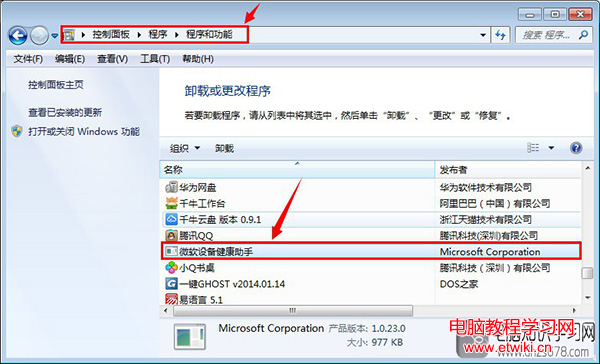
控制台解除安裝微軟裝置健康狀態服務

若您不使用合作夥伴的金融服務,或偏好精簡系統,解除安裝並無風險。

Copyright © Windows教程網 All Rights Reserved