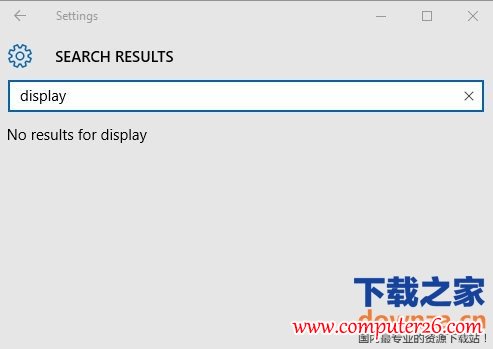
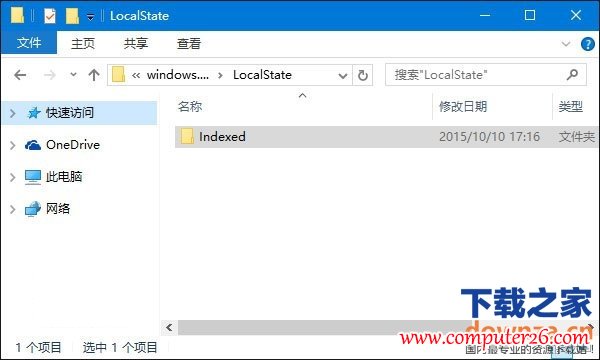
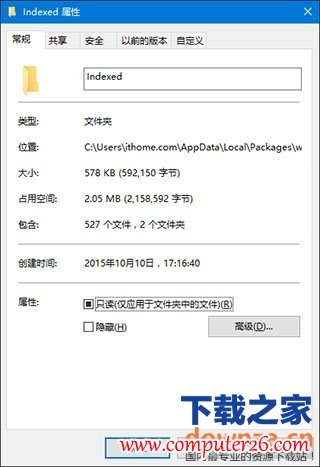
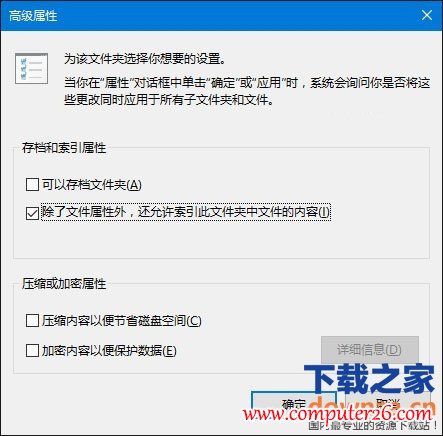
Windows 10工作列或設定應用程式的搜尋框無法顯示結果,通常是索引快取損毀。可透過重建Indexed資料夾索引解決。
Indexed
%LocalAppData%\Packages\windows.immersivecontrolpanel_cw5n1h2txyewy\LocalState
Win10 付費應用程式優惠碼功能上線:開發者每半年可生成 250 組
關閉 Windows 7 Jump Lists 跳躍清單,保護隱私防洩露
微軟作業系統事業群副總裁 Terry Myerson 正式宣佈 Windows 10:新紀元、跨裝置統一、Insider 計畫啟動
Windows 8 進入安全模式三法:Shift+F8、msconfig 設定、復原環境
Windows 修改日期顯示格式並顯示星期:自訂短日期格式 yyyy-M-d dddd
Win10 一秒建立桌面捷徑:開始選單直接拖曳應用到桌面
Win 10 Build 10525 安裝體驗影片:彩色標題列與壓縮儲存記憶體管理提升效能
Windows 10 升級後 Word 無法開啟彈出錯誤對話框,透過相容性設定修正即可解決