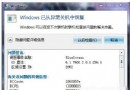
Windows 10 升級後點擊 Word 圖示無法啟動、彈出錯誤對話框 (紅叉),通常是相容性設定衝突。修正步驟:
若不想每次都見到 UAC 提示,可至「使用者帳戶控制設定」調整通知等級。此法同樣適用於 Excel、PowerPoint 等 Office 元件升級後無法啟動的情況。
微軟 WinHEC 2015 深圳大會完整圖文直播彙總:Win10 夏季上市、小米 4 刷機、小娜中文版、Xbox 跨平台
Win10 免費升級失敗頻傳:連續重開機、藍畫面、更新卡住,騰訊 360 暫停服務,專家批微軟低估硬體相容複雜度
Win10 內建「畫圖」工具使用教學:調整尺寸、像素、傾斜、擦除、加文字一站搞定
倒數 69 天!Win10 正式版 7 月 22 日完成,俄羅斯大神 WZor 確認
Windows 8.1 與 IE11 更新:新分頁頁面新增 Bing 搜尋列、常用網站下移
Win10 提示「工作管理員已由系統管理員停用」怎麼辦?群組原則啟用教學