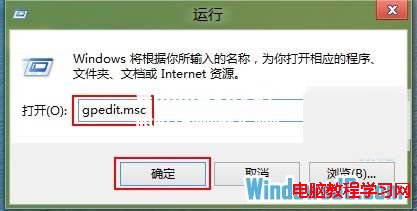
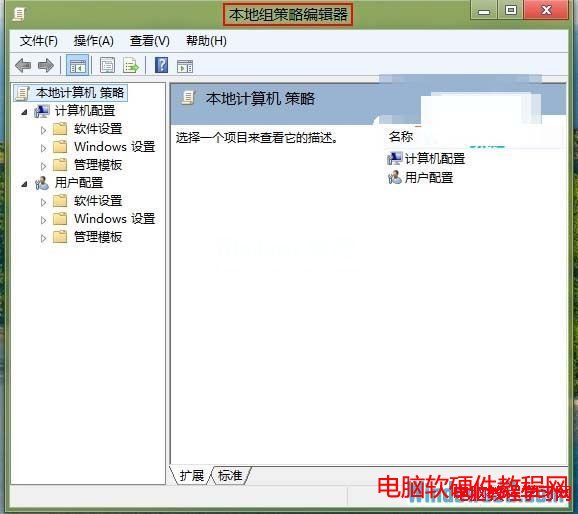
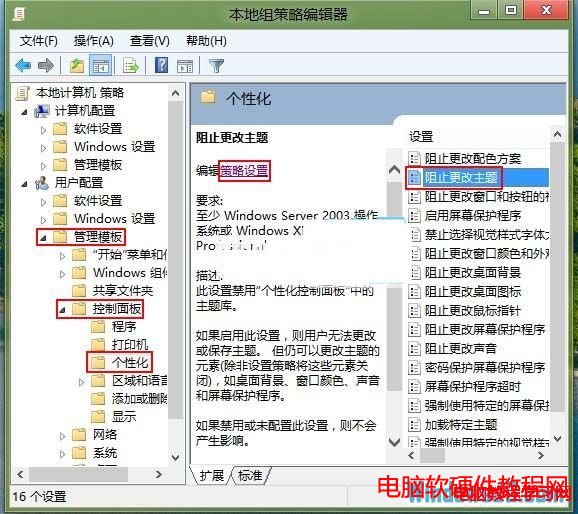
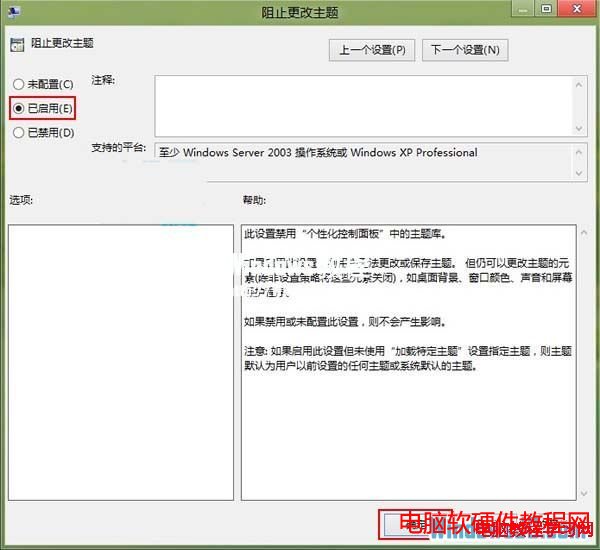
為防止他人更改已設定好的 Windows 8 主題,可透過本機群組原則編輯器啟用「禁止變更主題」原則。
gpedit.msc
gpupdate /force
設定完成後,使用者將無法透過「個人化」變更主題,保護桌面風格不被修改。
Win10 開啟任何內建應用皆提示「無法使用內建管理員帳戶開啟」解決教學
Win10 10565 預覽版最詳細下載安裝圖文教學
Windows 10 Mobile Build 10166 慢速環推送:應用商店去 Beta 化、電池圖示正常化
Win10桌面圖示文字過大?「僅變更文字大小」精準調整圖示字體
Win7藍牙功能完整啟用與配對指南:從驅動檢測到設備連接全流程
非 Lumia WP 手機何時能用 Win10?微軟確認正推動支援非 Lumia 裝置 (HTC One 等)
Win10 家用版無法取得管理員權限?兩種方法啟用內建 Administrator
Win10 桌面背景變黑無法設定?開啟「顯示 Windows 背景」即可恢復