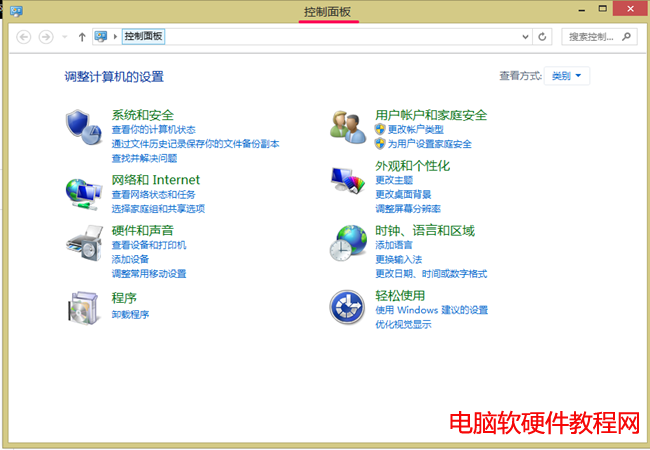
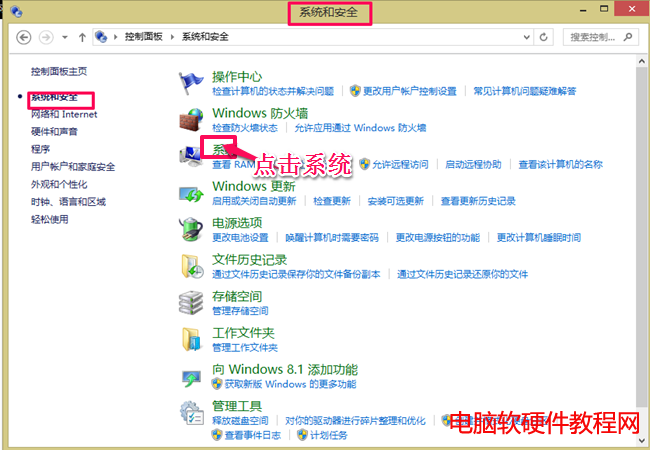
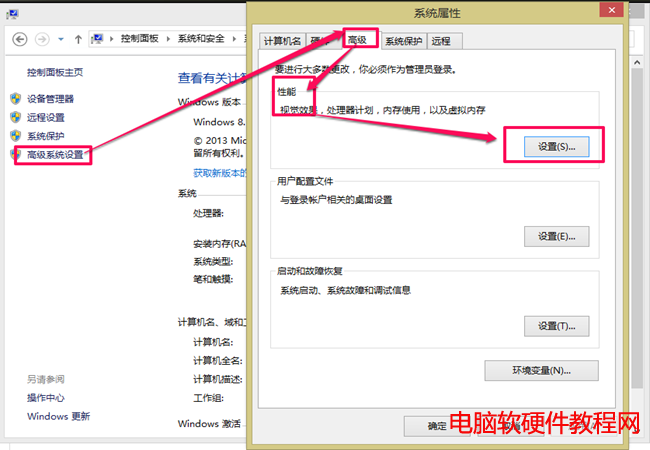
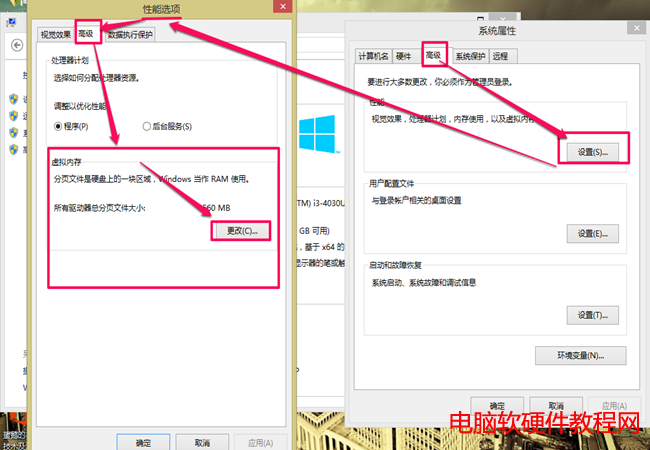
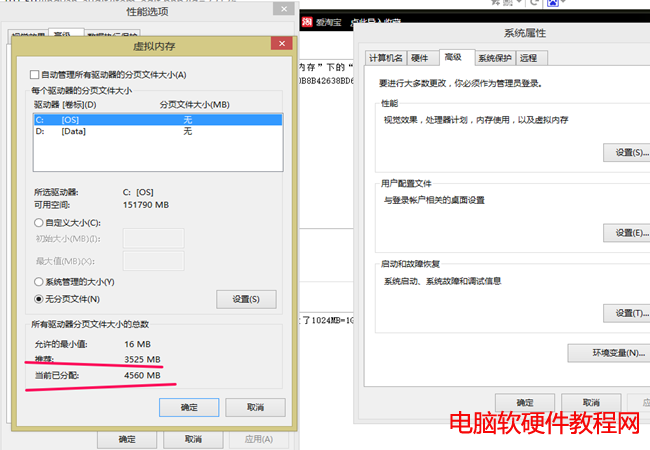
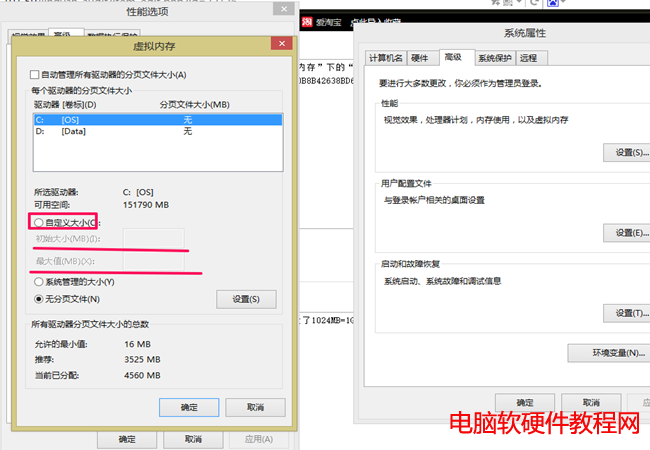
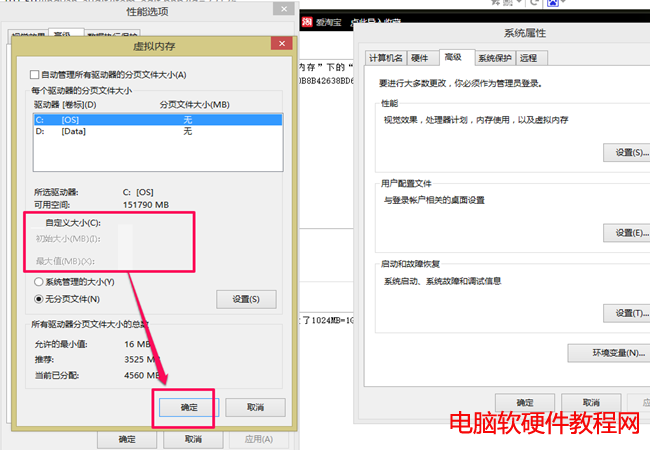
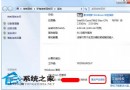
虛擬記憶體將部分資料暫存硬碟,擴展實體記憶體。Win8.1 設定步驟:
實體記憶體較小時,設為 1.5 倍通常足夠。
Win10 10240 版 GBA 模擬器 VBA10 上架商店:通用應用支援 PC 與手機雙平台
關機變重開機?五大常見原因與完整解決方案總整理
Windows 7 遠端桌面重新開機/關機指令:shutdown 參數一鍵搞定
Win10 如何禁用 SearchUI.exe (Cortana) 進程?重命名安裝目錄禁止啟動 (需獲取權限)
無 USB/光碟也能裝 Win10:硬碟安裝法 (NT6 HDD Installer) 完整圖文教學,支援 XP/Win7/Win8 升級
Win10 如何设置酷炫图片密码?登录选项 → 创建图片密码 → 手势三步解锁
免序號安裝 Windows 8.1 至外接硬碟:PE 環境 + WIM 釋放完整教學
Windows 8 Metro 介面新增關機、重新開機磚圖示教學