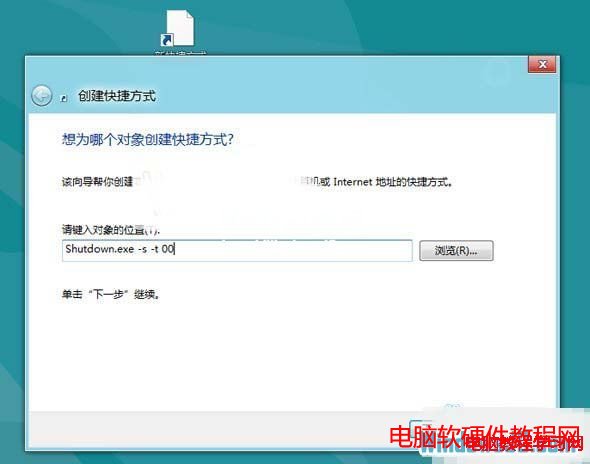
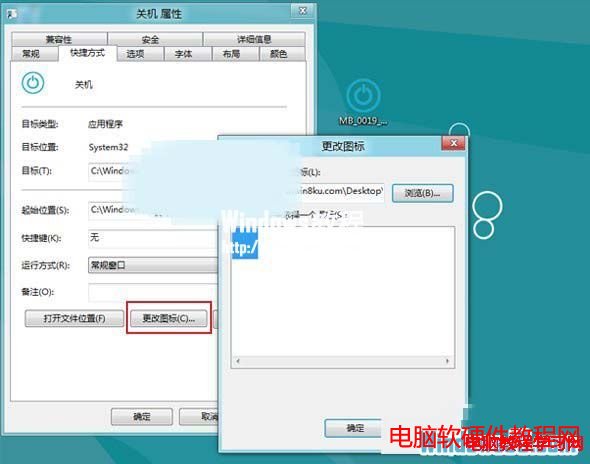
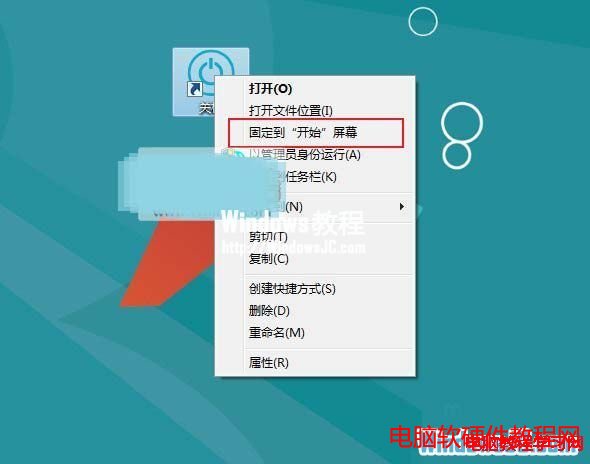
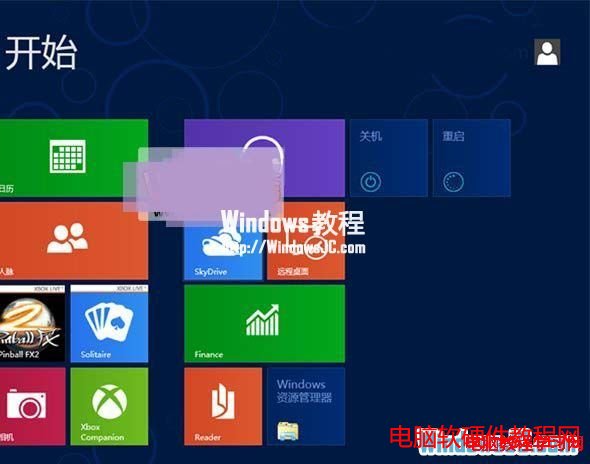
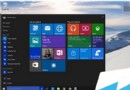
Win8 關機步驟繁瑣,若想在 Metro 開始畫面直接點擊關機/重開機磚,可建立捷徑並釘選。以下為操作流程。
shutdown.exe -s -t 00
shutdown.exe -r -t 00
此法讓 Win8 關機/重開機一鍵直達,大幅簡化操作流程。
Win10 正式版 Edge 瀏覽器收藏夾在哪裡?本地路徑完整公開
Win10 Build 10102 系統還原與安全模式進入完整教學
Windows 8 限制磁碟機存取:群組原則「防止從我的電腦存取磁碟機」設定
Win7/8.1 右下角出現「取得 Windows 10」圖示怎麼辦?完整應對與升級實測
WinXP 控制台「服務」圖示消失?手動建立捷徑找回
Windows 10 工作列搜尋框怎麼隱藏?右鍵工作列→搜尋→隱藏即可
Win10 控制台在哪裡?會被取代嗎?四種快速開啟方式與未來展望
WordPress 後台編輯器鍵盤快捷鍵完整指南