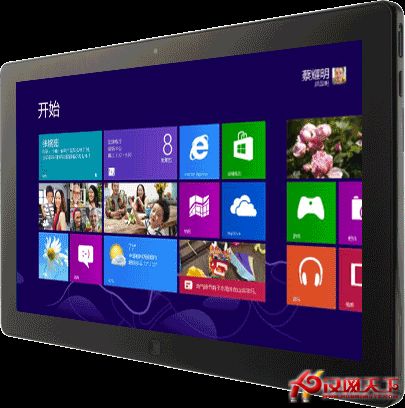
企業或學校環境可透過群組原則鎖定開始畫面佈局,防止使用者隨意釘選、分組、重命名磁磚。設定路徑因版本略有不同:
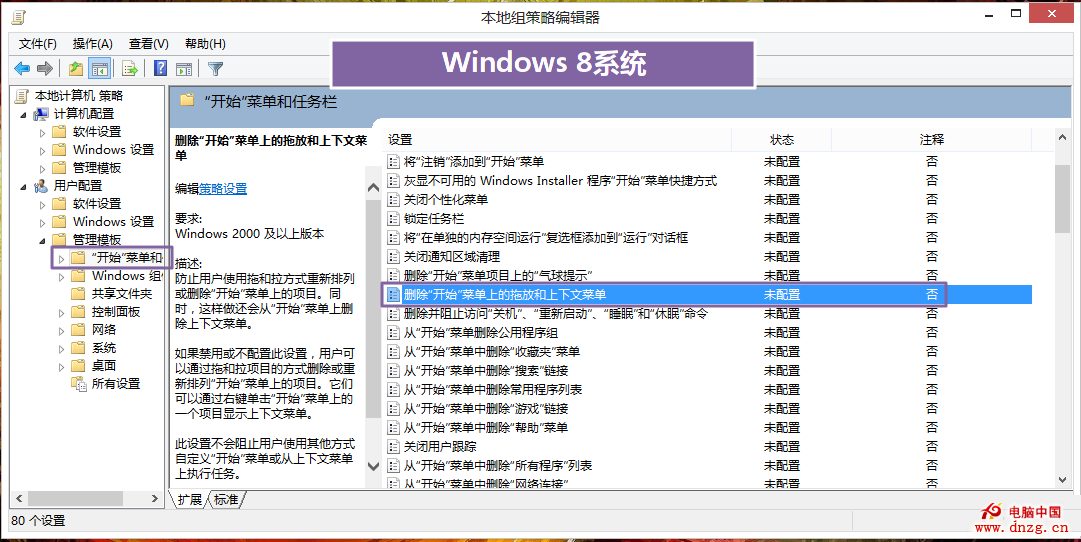
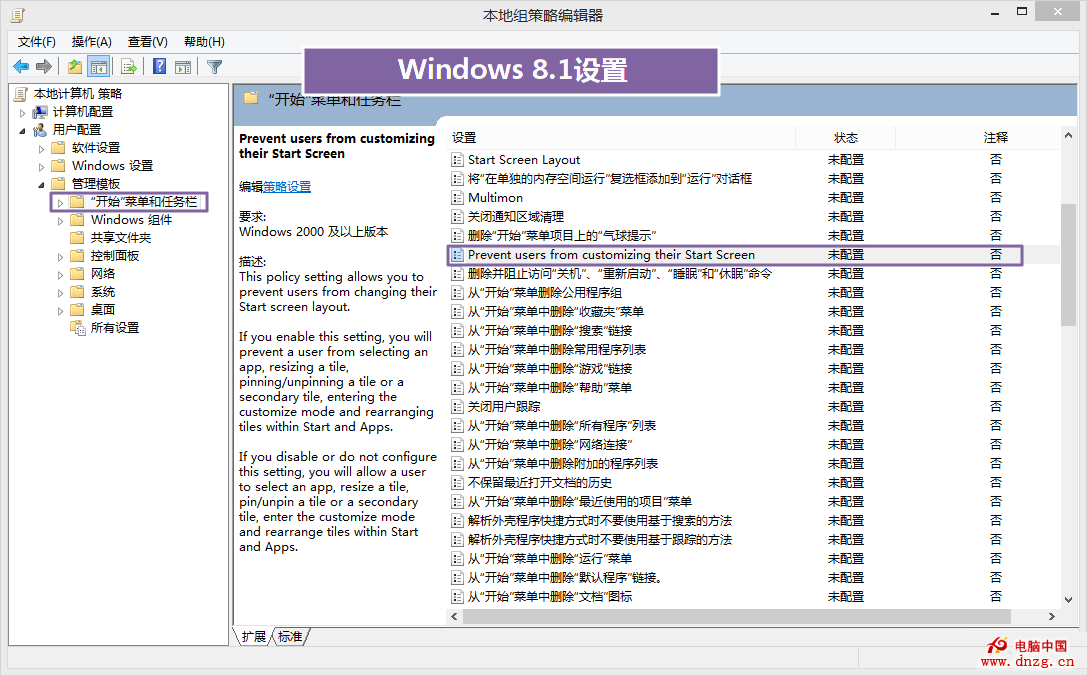
啟用後,使用者將無法調整開始畫面配置,確保環境一致性與管理效率。
Windows 8 專業版 98 元優惠升級:促銷代碼獲取與後續操作指南
Windows 8 建立寬帶連線(PPPoE)圖文教程:與 Win 7 操作一致
Windows 8 取得管理員權限:透過群組原則停用 UAC 管理員核准模式
Win8 大百科:關閉家庭群組降低硬碟讀寫、清理 Windows.old 釋放空間
Windows 8 啟用/禁用內建管理員帳戶與免密碼登錄完整指南
Win8 軟體精選:兼顧工作與生活精髓——必應字典、UC 瀏覽器 HD、南都網 HD、蘇寧閱讀
Win 10 更新 KB3119142 反覆要求安裝?修復 Visual C++ 2012 Redistributable 徹底解決
Win8.1 隱藏實用技巧 16 選:應用自動同步、Metro 真關機、五筆輸入法、鎖屏智慧換圖、安靜時段、SkyDrive 變身檔案總管等