Windows XP Windows 7 Windows 2003 Windows Vista Windows 綜合教學 Linux 系統教學
Windows 10 Windows 8 Windows 2008 Windows NT Windows Server 電腦軟體教學

Win 10 更新 KB3119142 反覆要求安裝?修復 Visual C++ 2012 Redistributable 徹底解決

編輯:Win8 常見問題解答

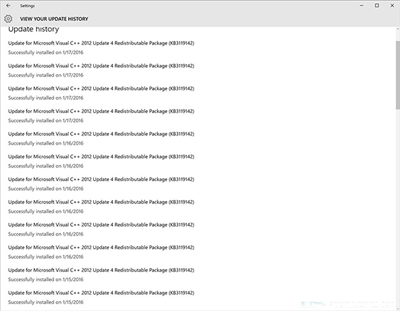
Windows 10 安裝更新 KB3119142 後,過幾週又反覆提示重新安裝。微軟確認此為 Bug:KB3119142 修補 Visual C++ 2012 執行階段漏洞,但若 VC++ 2012 Redistributable 安裝損毀,更新會反覆失敗重試。
解決方案一:修復現有 VC++ 2012 Redistributable

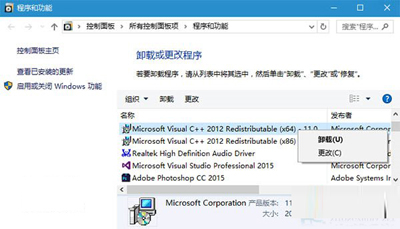
  1. 「控制台」→「程式和功能」。
  2. 找到 Microsoft Visual C++ 2012 Redistributable (x64) - 11.0.61030 和/或 (x86) - 11.0.61030。
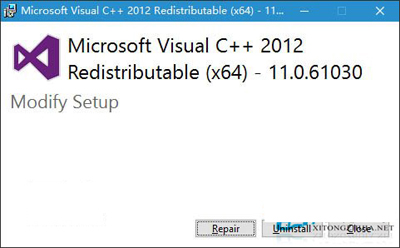
  3. 右鍵 → 「變更」→ 「修復」。
  4. 完成後重新開機,Windows Update 再次檢查,KB3119142 應不再出現。

程式和功能找 VC++

修復 VC++ 2012

修復進行中

解決方案二:重新安裝 VC++ 2012 Redistributable

  1. 下載 Visual C++ 2012 Update 4 Redistributable (x86/x64 皆裝)。
  2. 執行安裝程式,選擇「修復」或完整重新安裝。
  3. 重開機後 Windows Update 應正常。

原理說明

  • KB3119142 針對 VC++ 2012 執行階段 (msvcr110.dll 等) 的安全性漏洞 (CVE-2015-2541 等) 發布修補。
  • 若本機 VC++ 2012 執行階段檔案遺失、版本不符、註冊表損毀,更新無法正確套用,導致重試迴圈。
  • 修復/重裝 VC++ 2012 即可提供健康的修補基礎,更新一次成功即不再重複。
Copyright © Windows教程網 All Rights Reserved