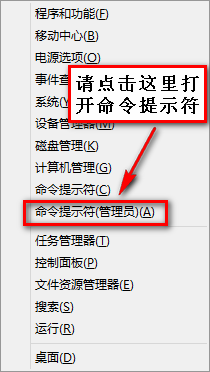
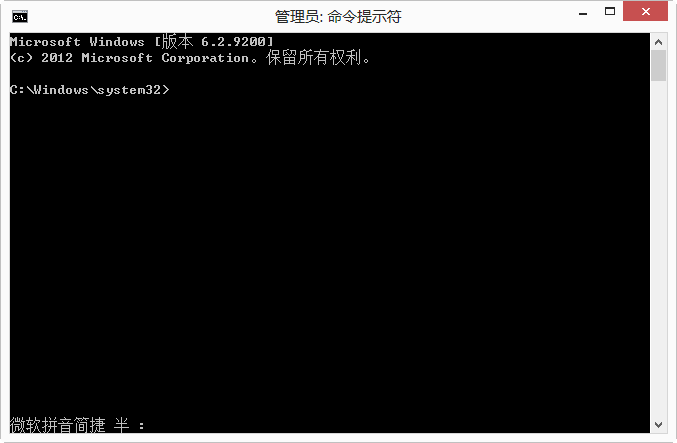
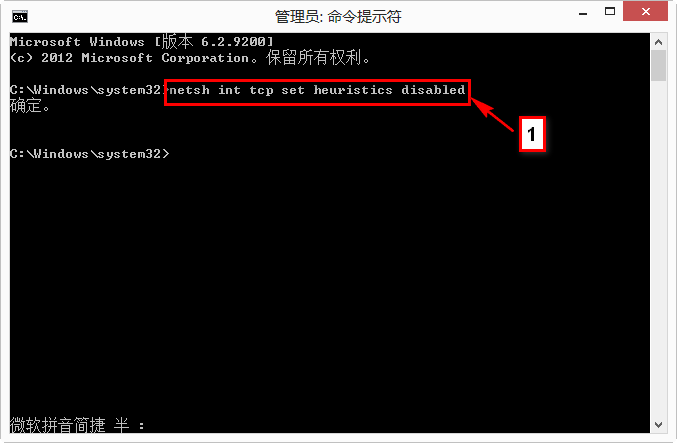
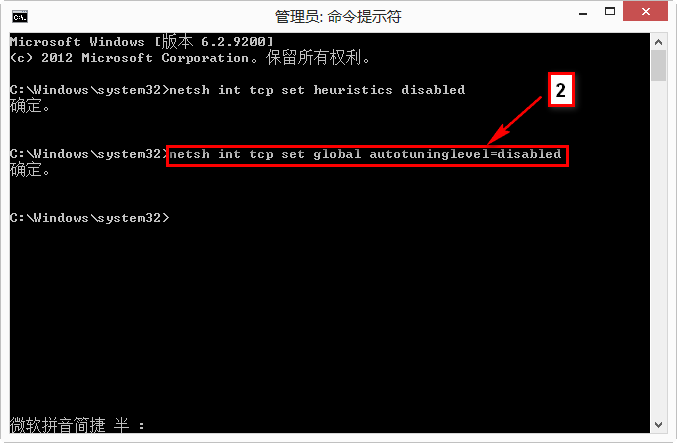
預裝 Windows 8 筆電常遇有線/無線網路顯示「受限」,透過三條 Netsh 指令優化 TCP/IP 協定堆疊可獲更廣泛相容性。
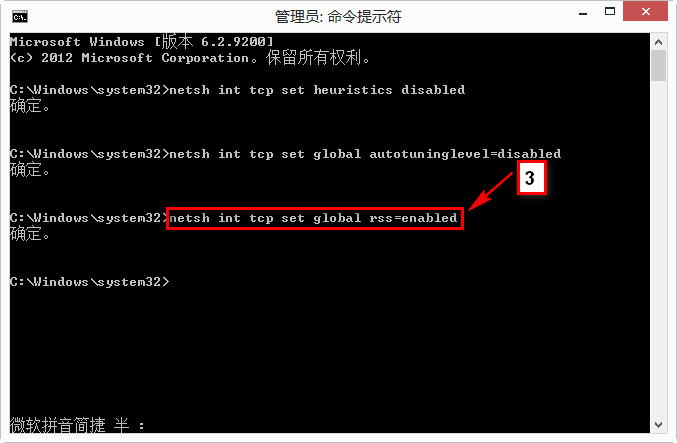
netsh int tcp set heuristics disabled
netsh int tcp set global autotuninglevel=disabled
netsh int tcp set global rss=enabled
若無線受限持續,嘗試解除安裝原無線網卡驅動,下載對應廠商最新驅動重裝測試。
Win8 手動安裝 USB 百兆網卡驅動程式完整流程
Win8 三種開啟「管理員命令提示字元」妙招:Win+X、Win+Q、Win+R 全搞定
Win8 鍵盤指示燈(NumLock/CapsLock)不亮?關閉快速啟動解決
Windows 8/8.1 關閉鎖定畫面兩種方法:登錄編輯與群組原則
Win8 禁用 IE10 關閉多個分頁警告:網際網路選項取消勾選關閉警告
Win8.1 安裝 KB3035583 仍無 Win10 升級推送?GWX 指令手動喚醒升級通知
筆記本 Win7 可搜尋到無線訊號但無法連線的完整排除教學
Windows 8 新增顯示語言/輸入語言:多語系介面切換