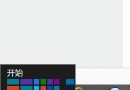
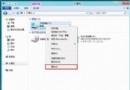
Windows 8.1 移除了舊版控制台中快速切換網路位置的介面,需透過「電腦設定」調整。專用網路允許裝置發現與檔案共享,適合家庭或辦公環境;公用網路則限制連入,較安全。
設定步驟
- 確認已連上網路(有線或無線)。
- 按 Win+I 開啟設定 → 點選右下角「變更電腦設定」。
- 左側選單選「網路」 → 點選目前連線的網路名稱。
- 找到「尋找裝置與內容」選項,將開關切為「開啟」即為專用網路,「關閉」則為公用網路。
- 回到「網路與共用中心」即可看到網路類型已變更為「專用網路」。
此設定會影響防火牆規則與共享功能,請根據使用環境選擇適當模式。