透過滑鼠右鍵「內容」只能設定「唯讀」屬性(且僅套用至資料夾內檔案),無法直接設定資料夾本身的「系統」屬性。需使用命令提示字元的 attrib 指令。
ATTRIB [+R | -R] [+A | -A] [+S | -S] [+H | -H] [[drive:][path]filename] [/S [/D]]
+R / -R : 設定/清除 唯讀屬性
+A / -A : 設定/清除 封存屬性
+S / -S : 設定/清除 系統屬性
+H / -H : 設定/清除 隱藏屬性
/S : 處理目前資料夾及子資料夾中符合的檔案
/D : 同時處理資料夾本身
cmd 開啟命令提示字元。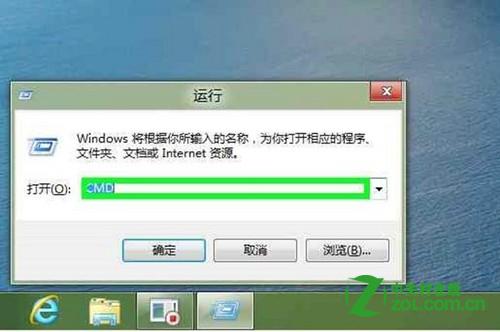
H: 切換至 H 槽 → 輸入 attrib 123 查看目前屬性(預設無屬性)。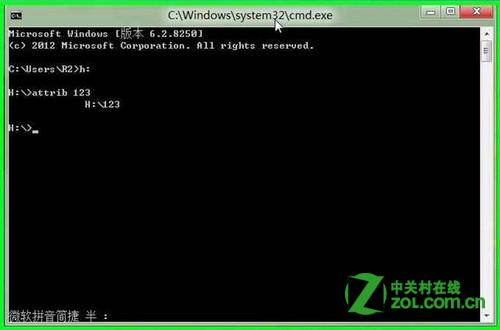
attrib +r +s 123 設定唯讀與系統屬性。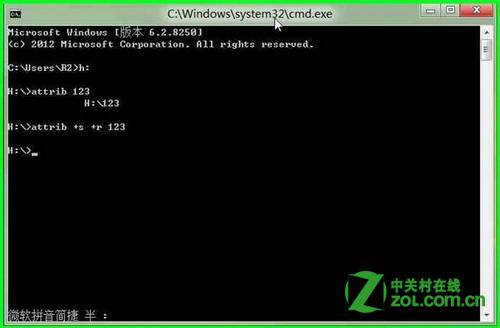
attrib 123 確認屬性顯示 R、S。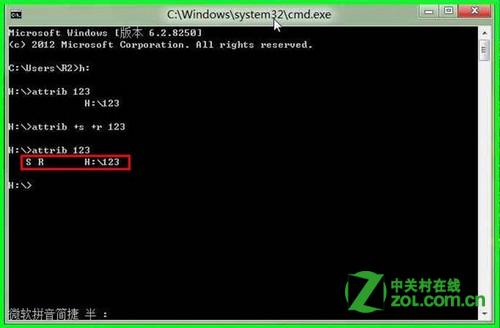
注意:設定系統屬性後,於滑鼠右鍵「內容」中「隱藏」核取方塊會變灰色無法勾選,屬正常現象。