Windows XP Windows 7 Windows 2003 Windows Vista Windows 綜合教學 Linux 系統教學
Windows 10 Windows 8 Windows 2008 Windows NT Windows Server 電腦軟體教學

修改登錄讓 Windows 8.1 立即收到 Update 1 更新推送

編輯:Win8 系統應用技巧

前言

透過在登錄中新增特定機碼值,可讓 Windows 8.1 直接從 Windows Update 取得 Update 1 (KB2919442) 更新,無需手動下載安裝。
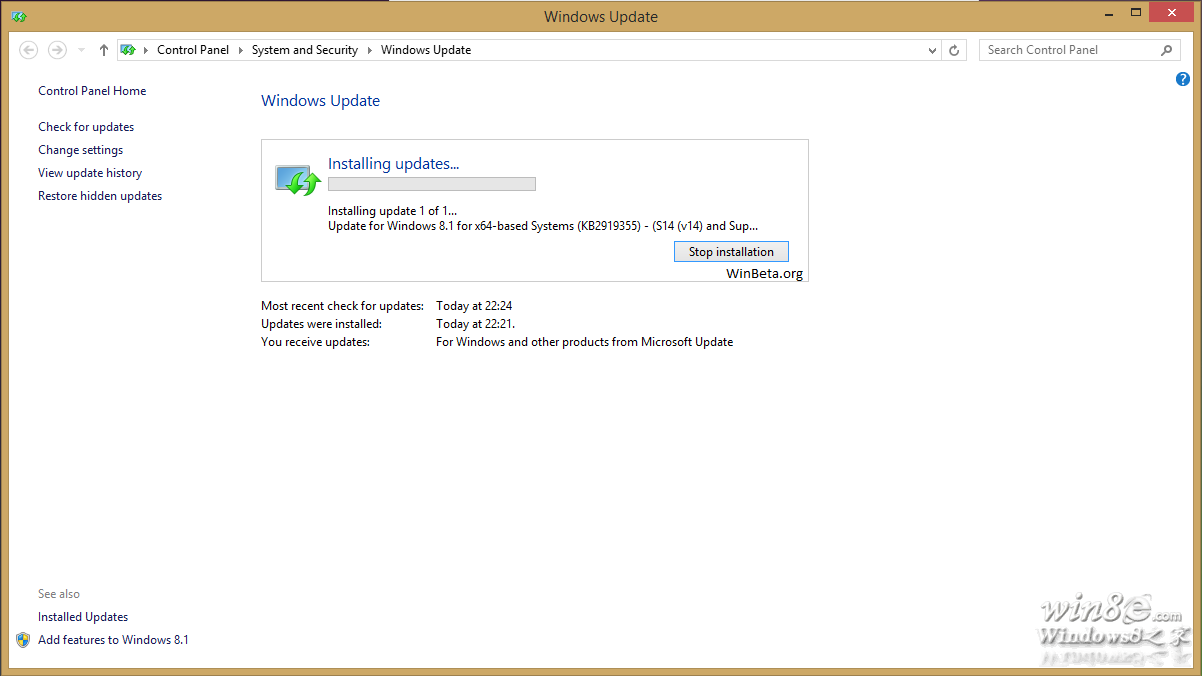
更新畫面範例

操作步驟

  1. 開啟登錄編輯器 (Win+R → regedit)。
  2. 導覽至:HKEY_LOCAL_MACHINE\SOFTWARE\Microsoft\Windows。
  3. 在右側空白處右鍵 →「新增」→「機碼」,名稱為 SHWindowsPoolS14。
  4. 重新開機,開啟 Windows Update 檢查更新。

預期結果

更新清單中應會出現:「Update for Windows 8.1 for x64-based Systems (KB2919442) – (S14 Prerequisite v01.0008)」。

注意

修改登錄有風險,建議操作前匯出備份相關分支。此方法經多位使用者測試有效,但微軟隨時可能調整更新推送機制。

Copyright © Windows教程網 All Rights Reserved