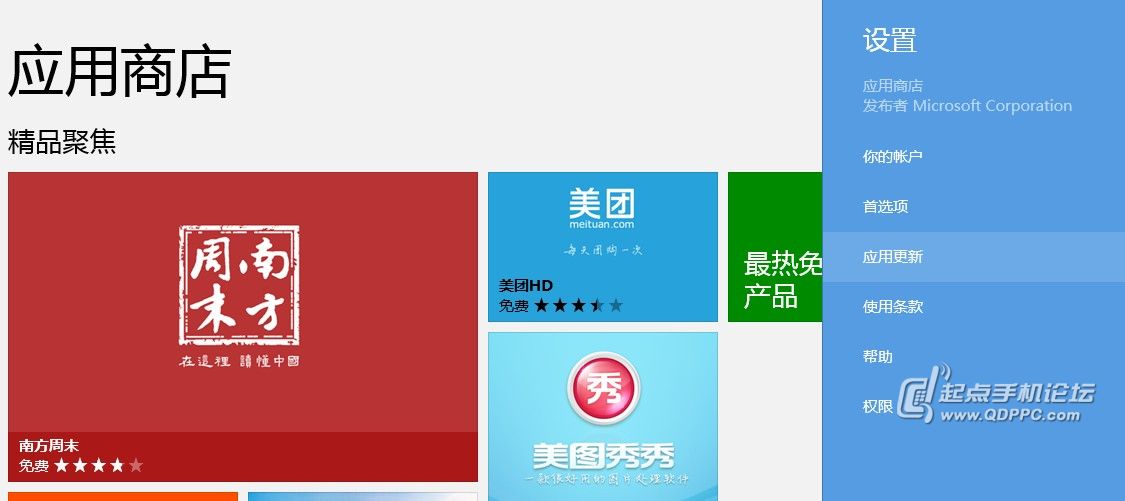
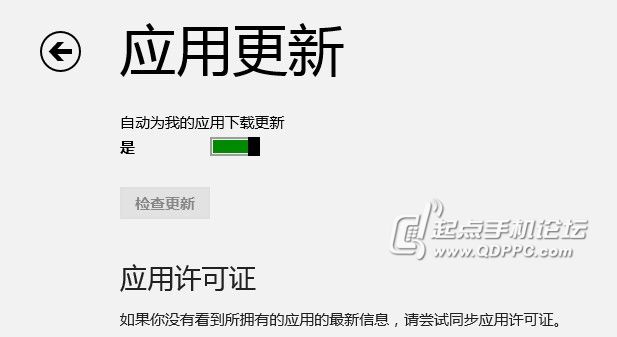
之後所有 Modern 應用皆會在背景自動下載安裝更新。
Windows 8 必學十大快捷鍵:Win+D、Win+C、Alt+F4、Win+Prtsc、Win+M 讓操作省力又省時
Windows 8 四版本用戶必知 10 件事:RT/核心版/Pro/Enterprise 選購指南
Windows 8 如何設定單擊或雙擊開啟項目?資料夾選項「一般」索引標籤操作指南
Windows 8 修復/重設功能無法使用解決法:需插入安裝媒體提供檔案
Win8 無權限刪除檔案?命令提示字元 RD 指令強制刪除
如何將中文版 Windows 8 介面語言改為英文?
Win8 IE10 新分頁打開彈出視窗:Internet 選項→分頁→勾選「啟用分頁瀏覽」「始終在新分頁中打開彈出視窗」「當前視窗中的新分頁」
Win8 修改鎖定畫面壁紙不生效?兩大解決方案修復同步問題