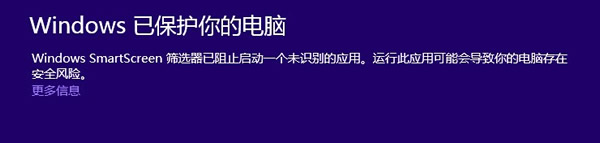
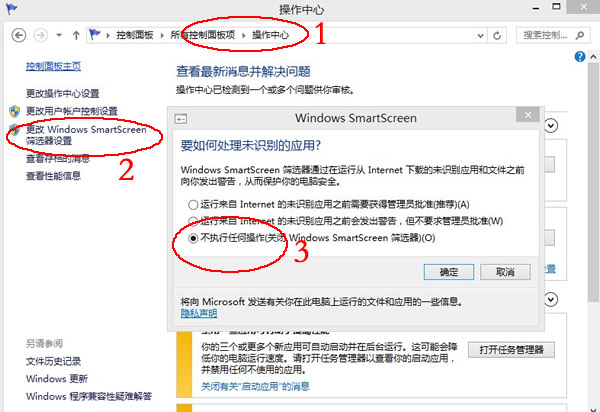
Windows 8 內建 SmartScreen 篩選器會檢查未知應用程式的信譽。若應用無信譽資料(新開發、較少人用),預設會阻止執行並提示「篩選器已阻止啟動」。
原理: SmartScreen 將程式雜湊值送往微軟雲端比對信譽。合法常用軟體(如搜狗瀏覽器)會自動放行;無資料則攔截。IE8/IE9 同理。
建議保持 SmartScreen 開啟,僅對確信安全的程式點選「仍要執行」,平衡安全與便利性。
使用 VirtualBox 虛擬機器安裝 Windows 8.1 Preview 試用教學
Win8 查看硬碟容量:從「這台電腦」到磁碟管理兩種方法
Win8 IE10 開啟「追蹤保護」過濾網頁廣告:免安裝外掛,內建功能攔截第三方廣告碼
Win8 格式化 USB 隨身碟提示「Windows 无法完成格式化」?四大常見成因與對策
Windows 8 是自 Win95 以來最大變革:微軟 CEO 與分析師共同肯定
Win8 IE 瀏覽器新增 Flash 外掛程式 相容性清單修改法
Win8 建立 VHD 虛擬硬碟:磁碟管理原生支援 .vhd/.iso 掛載與建立
Windows 8.1 預覽版無法卸載?官方解決方案與替代方案全解析