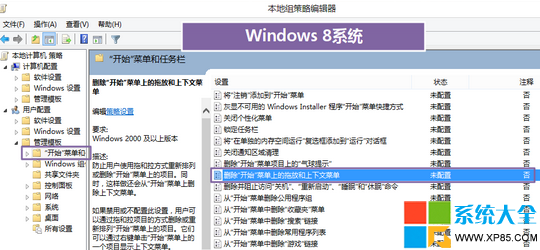
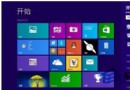
開始畫面調整完成後,防止他人亂動:
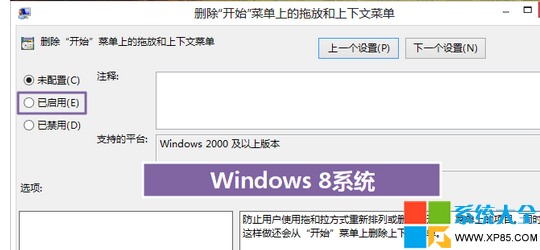
gpedit.msc →「使用者設定」→「系統管理範本」→「開始功能表和工作列」→「移除開始功能表上的拖放和內容功能表」→「已啟用」。
gpedit.msc
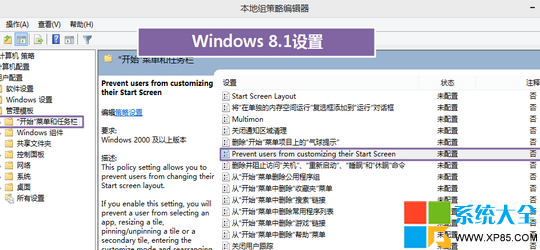
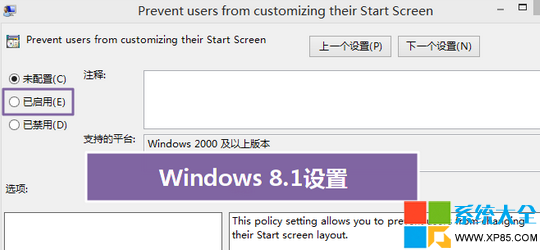
同路徑下尋找「禁止目前使用者自訂開始畫面」 (英文可能為 Prevent users from customizing their Start Screen) →「已啟用」。
Prevent users from customizing their Start Screen
設定後使用者無法移動、釘選、取消釘選磚塊,佈局固定。
Windows 8 磁碟使用率 100% 完整解決方案:12 招從輕量到重裝
微軟官網個人化圖庫全新改版:向 Windows 8 風格靠攏,大縮圖、全景預覽、單張壁紙下載
Windows 8.1 下 Office 2013 產品金鑰修改完整教學
Win8 關機方法大全:Charms 列、快捷鍵、Alt+F4、命令列、實體電源鍵
Win8 如何更換百度輸入法皮膚?自訂外觀完整教學
Win8 设置图片密码:手势解锁触屏专属,前提须先设数字密码
Win8 進入睡眠模式後不斷網:網路卡電源管理取消允許關閉裝置
Win8.1 開始畫面出現亂碼?教你快速移除多餘字元